Home/E Sim/How to check eSIM Data usage on iPhone?
How to check eSIM Data usage on iPhone?
February 1, 2024
We have captured the ways to check eSIM Data Balance below
1. eSIM Profile Information on iPhone
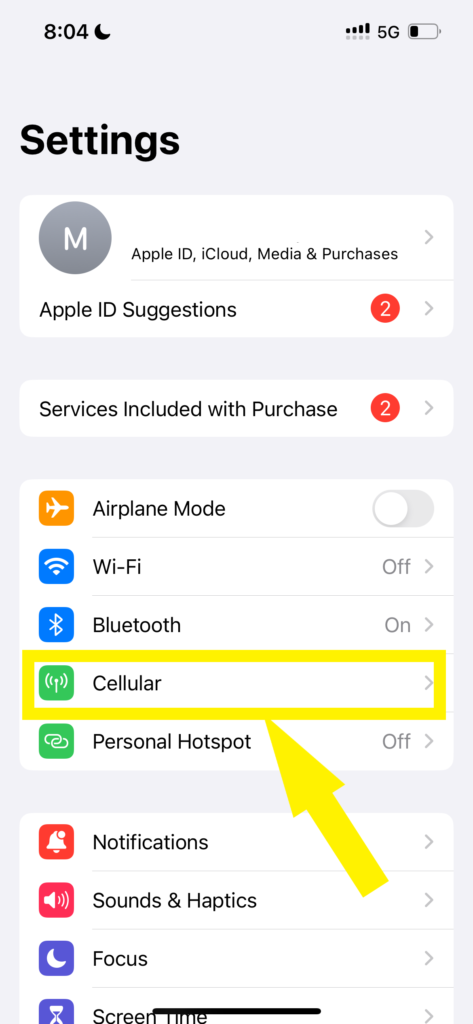
Click on Settings
it will take you to the next screen, Then click on Cellular.
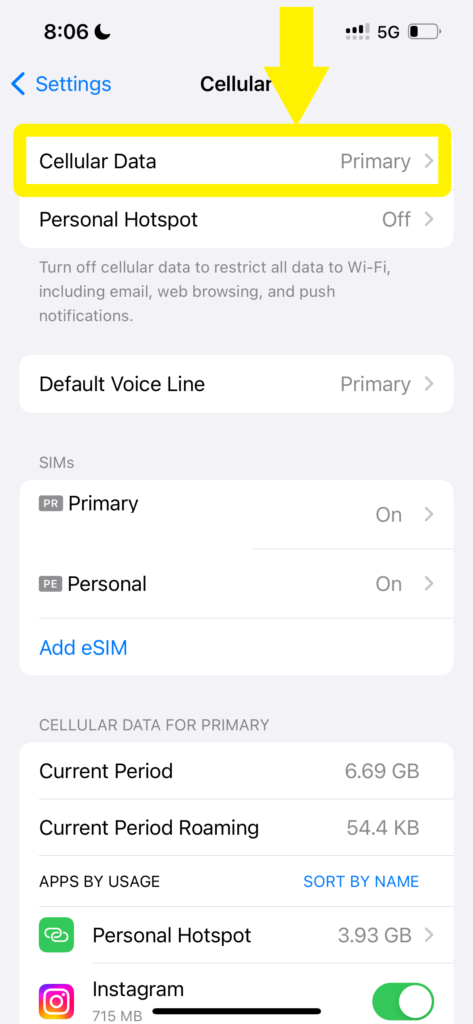
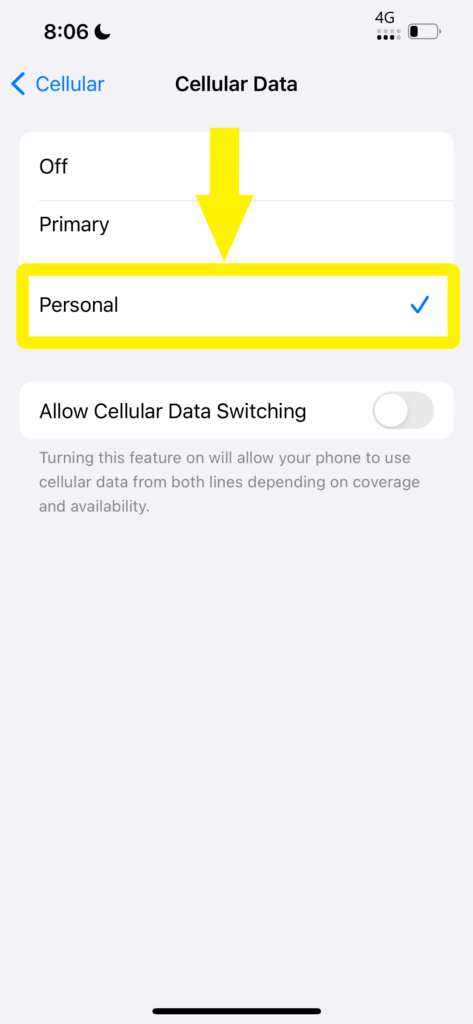
At this point, you need to be aware of the eSIM profile name. In this case, Data is selected on Primary but my eSIM profile is on the Personal profile. So click on Cellular data and change the option to Personal.
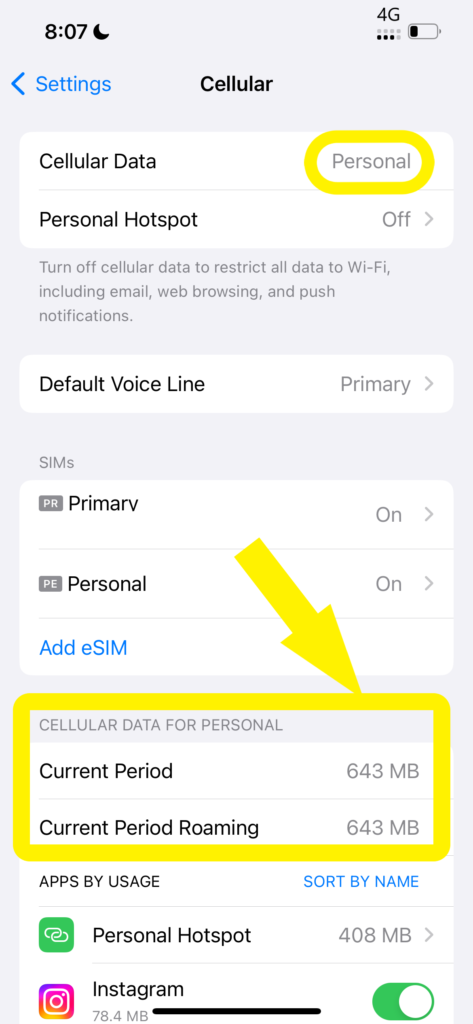
Then you go back and can see the utilization under “CELLULAR DATA FOR PERSONAL”.
2. Carrier/Seller App Usage (If the carrier/seller has an Application)
Consider using your carrier’s/seller’s official app, available for download on the App Store. These applications should be downloaded in advance before flying and makes it east to check eSIM Data Balance/usage. These apps often provide real-time data consumption insights, billing information, and account management features.
3.Contacting Carrier/Seller’s Support
If faced with challenges or unable to find information, reach out to your carrier’s customer support.
Customer support can offer assistance, insights into carrier-specific features, and troubleshoot any issues.
4. Conclusion/Recommendation
Efficiently manage eSIM data usage and check eSIM data usage on iPhone through settings, carrier apps, and customer support assistance. Check out some eSIM FAQs on our blog section for a better understanding of eSIM Technology.
As technology evolves, anticipate more streamlined methods for monitoring and managing data usage on eSIM profiles. If are using eSIM for the first time you might run into come common eSIM issues, for more details on this and fixing eSIM issues read the article







Leave a comment