

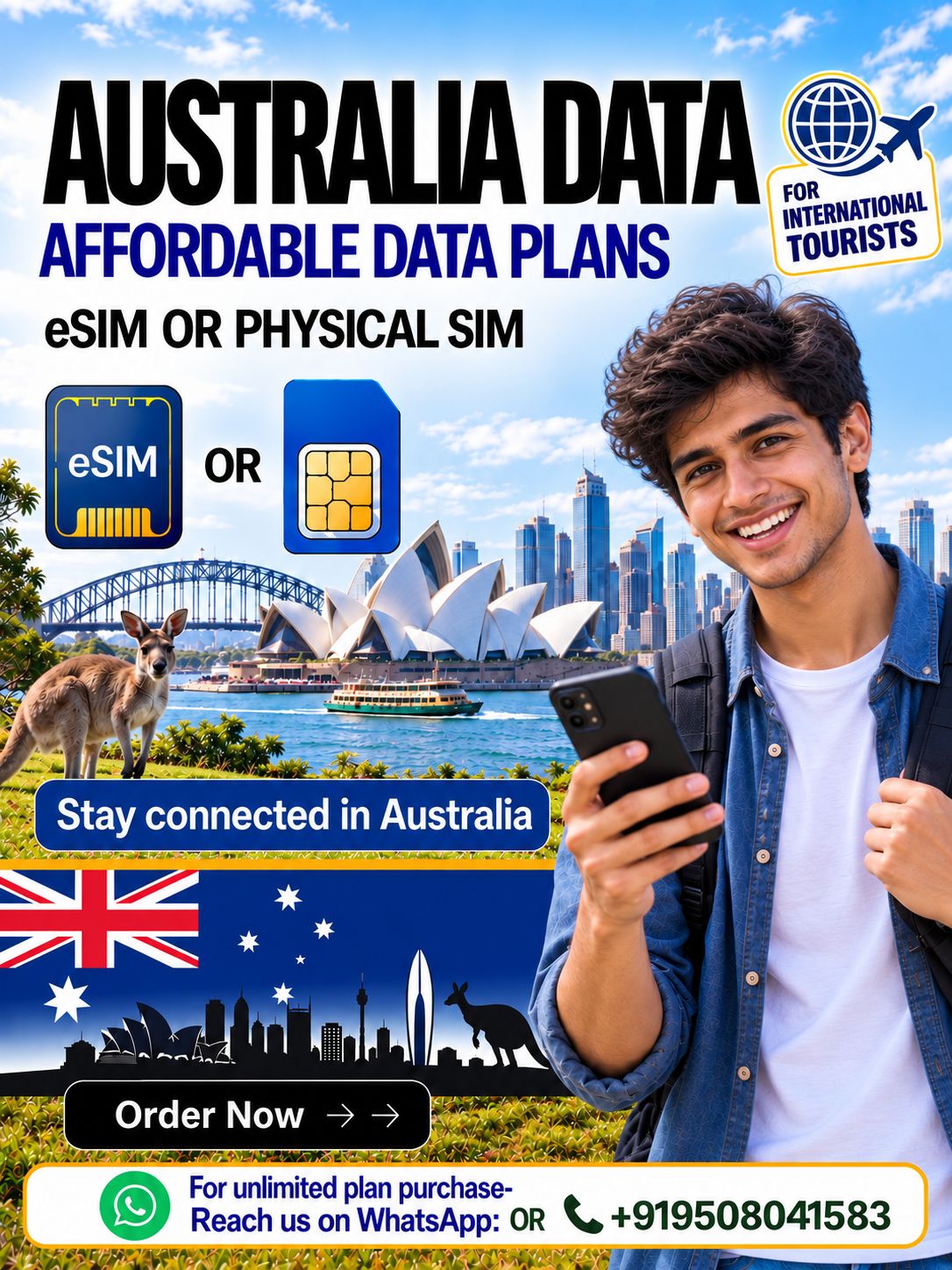
Key Features of Our Australia Data eSIM | Australia Data SIM cards for International Travelers | Symbaa
- Instant digital delivery – get your Australia Data eSIM QR code by email immediately after purchase.
- Reliable LTE/4G/5G coverage across major cities and popular tourist spots.
- Flexible esim data plan Australia options to suit short trips or longer stays. Customized plans possible
- Compatible with most eSIM-enabled iOS and Android devices.
- Physical Data Card available if phone doesnt support eSIM
- Most plans support hotspot/tethering so you can share data with other devices.
- No roaming surprises – prepaid data at local rates for the duration of your plan.
- Eco-friendly – no physical SIM card, reducing plastic waste for travelers who want eSIM
- 24/7 customer support and easy top-ups if you need more data.WhatsApp at +91-9508041583
- Queries on Unlimited Data plans | Customized plans WhatsApp on +91-9508041583, admin@hubbingecom.com
Stay Connected in Australia | Symbaa
Australia brings together waterfront cities, coastal drives, wildlife encounters, and business destinations. Therefore, dependable mobile data helps with maps, bookings, payments, and everyday messages. Choose an Australia Data eSIM for digital convenience. Alternatively, select an Australia Physical Data SIM card for familiar handling.

How to Use Your Australia eSIM or Physical Data SIM Card | Symbaa
- Download Symbaa App – Download the Symbaa app and Choose a plan based on your needs
- Register with valid phone & email id | Purchase – Post registration on app do your purchase
- Receive eSIM via Email – After purchase, the eSIM profile QR is sent instantly to
your email. - Scan the QR Code | Install – Look for Cellular or Mobile network under “Add eSIM” and then scanning the QR code —choose the right settings.It should take 5 to 15 mins to install the plan. Do this before you board the International flight
- Activate on Arrival – Switch to your eSIM once you land in Australia and ensure Data Roaming is selected on eSIM profile. Turn off automatic data switching
- Physical Data Cards – WhatsApp on +919508041583 | Delivery across major Indian cities 3-5 working days
- Submit Your Documents After Purchase – Send clear copies of the front and back of your valid passport, your valid visa, and your onward and return flight tickets to +91 95080 41583 or admin@hubbingecom.com.
Download Symbaa
Australia network access
Australia’s major mobile network operators include Telstra, Optus, and Vodafone. However, your selected plan uses its assigned partner network, not every operator automatically. Therefore, confirm the actual network before payment. Moreover, check coverage for your cities, regional stops, and planned driving routes
| Australian operator | What to compare | Traveler consideration |
| Telstra | Published coverage for your route | Confirm whether your package includes this network |
| Optus | Published coverage for your route | Confirm whether your package includes this network |
| Vodafone | Published coverage for your route | Confirm whether your package includes this network |
Cities and remote destinations offer different connectivity conditions across Australia. However, buildings, terrain, congestion, and distance from towers can affect performance. Therefore, never expect uninterrupted reception throughout an outback journey. Also, download essential maps before leaving towns or other reliable coverage areas.
Choose your format
Both formats provide mobile data, although installation and delivery differ. Therefore, choose an Australia eSIM for compatible phones and convenient digital setup. Alternatively, select an Australia SIM card when you need a removable card. Moreover, compare device requirements before choosing your preferred format.
| Feature | Australia Data eSIM | Australia Physical Data SIM card |
| Format | Digital mobile profile | Removable SIM card |
| Device | Unlocked, compatible eSIM device | Unlocked device with compatible SIM slot |
| Delivery | Digital details after processing | Indian courier; confirm dispatch and delivery |
| Setup | Install using supplied instructions | Insert after arrival unless instructed otherwise |
| Home SIM | Keep alongside eSIM on compatible dual-SIM phones | May need the physical SIM slot |
| Calling and SMS | No PSTN calls or standard SMS | Data-only unless package explicitly states otherwise |
| Best fit | Convenient setup without courier delivery | Devices needing a removable Australia SIM card |
Before ordering, review your travel dates, delivery needs, and expected usage. Moreover, compare coverage, validity, hotspot conditions, and high-speed allowances. A prepaid data SIM for Australia helps you plan connectivity spending. However, your selected package determines every included service and usage condition.
Australia Data eSIM
Buy your Australia travel eSIM before departure and receive installation details after processing. First, install the profile through stable Wi-Fi using the supplied instructions. Then, follow Hubbing Ecom’s activation timing. However, never delete your profile during troubleshooting unless support specifically directs you
Your phone must support eSIM and accept another operator’s profile. Moreover, confirm carrier unlocking and your exact regional model before payment. Australia has closed its 3G networks. Therefore, ask about device eligibility, including emergency-calling compatibility, because operators can block certain incompatible overseas handsets.
An Australia eSIM can keep your home line available on compatible dual-SIM phones. Consequently, you may retain access to home messages and banking OTPs. However, your home operator controls roaming availability and charges. Therefore, disable home-line data roaming and automatic mobile-data switching.
Physical Data SIM
Choose an Australia Physical Data SIM card when your phone lacks suitable eSIM support. Alternatively, use a compatible spare phone or supported hotspot device. Hubbing Ecom sends your Australia SIM card to your Indian address. Therefore, confirm delivery timing and order before departure.
Insert your physical card after reaching Australia unless Hubbing Ecom provides different instructions. Next, select that line for mobile data and enable data roaming. Moreover, retain automatic network selection during setup. However, enter an APN only when your supplied instructions require one.
Manage with Symbaa
Symbaa is Hubbing Ecom’s live travel eSIM application for international travelers. Moreover, customers can explore plans, purchase eligible options, review usage, and manage supported eSIM services. Therefore, the application adds practical convenience throughout your journey. However, features and top-ups depend on plan eligibility.
Website customers can also order directly through Hubbing Ecom before traveling. Meanwhile, Symbaa provides another convenient route for supported digital services. Moreover, travelers can explore future destination plans through the application. However, confirm physical SIM support separately rather than assuming identical app functionality.
Choose your plan Australia Data eSIM
Short visits often need maps, messages, attraction bookings, email, and light browsing. Therefore, consider a smaller Australia Data eSIM for modest daily usage. However, choose more data for uploads, streaming, or remote work. Also, match the package validity with your complete travel dates.
Longer journeys need suitable validity alongside a practical data allowance. Similarly, your Australia SIM card should support your entire planned stay. Every prepaid data SIM for Australia carries specific coverage and usage conditions. Therefore, compare top-ups, speeds, expiry, hotspot access, and fair-use policies.
Unlimited options may include daily high-speed allowances and subsequent speed reductions. Therefore, confirm current availability before placing your order with Hubbing Ecom. Moreover, ask about daily limits, reset timing, hotspot rules, and reduced speeds. Operators control these policies, so conditions can change.
Activate your plan Australia Data eSIM | Australia Data SIM
First, choose your data allowance, validity, and preferred SIM format. Then, check compatibility, coverage, departure dates, and delivery requirements before payment. Moreover, submit the required documents promptly after purchase. Therefore, Hubbing Ecom can process your Australia travel eSIM or physical card without avoidable delays.
First, install your digital profile over stable Wi-Fi before flying. However, activate it no earlier than 36 hours before departure. After landing, select your travel line for mobile data. Then, enable data roaming and automatic network selection. Also, follow your supplied validity-start instructions.
Required documents
After purchase, email clear passport, valid visa, and confirmed flight-ticket copies to admin@hubbingecom.com. Alternatively, WhatsApp these documents to +91 9508041583. Moreover, submit readable files promptly because incomplete documents may delay processing. Hubbing Ecom requires these documents for both eSIM and physical SIM orders.
Hubbing Ecom requests travel documents for order processing, not visa issuance. Therefore, arrange suitable Australian travel permission independently before departure. Moreover, check current entry requirements through Australia’s Department of Home Affairs. Your connectivity purchase does not provide immigration approval or guarantee entry into Australia.
Built for travelers
Use mobile data for navigation, transport updates, hotel messages, and attraction bookings. Moreover, internet access supports translation, email, digital payments, and video calls. An Australia travel eSIM suits compatible devices. Alternatively, physical SIM customers can enjoy similar everyday data uses after correct setup.
Australia welcomes city visitors, students, business travelers, beachgoers, and road-trip explorers. Therefore, choose data around your route and daily habits. Moreover, save offline tickets, addresses, and emergency information. Dial 000 during emergencies, but never rely solely on travel data or remote mobile coverage.
Why Symbaa | Hubbing Ecom
Hubbing Ecom brings digital and physical travel connectivity into one purchase journey. Moreover, customers can compare available allowances and validity before departure. Each Australia Data eSIM customer can request setup guidance through familiar Indian contact channels. Similarly, physical SIM customers can seek delivery assistance.
The Symbaa travel eSIM experience supports eligible digital services across future journeys. Meanwhile, Hubbing Ecom offers direct website ordering for customers who prefer it. Consequently, travelers can arrange a prepaid data SIM for Australia before departure. They can also avoid rushed airport purchase decisions.
Ready for Australia
Choose your preferred allowance, validity, and SIM format before departure. Then, submit your documents and follow the supplied activation instructions. Moreover, confirm device compatibility before buying an Australia eSIM. Your Australia Physical Data SIM card can also support your trip when you prefer removable connectivity.
Frequently asked questions(FAQs)
2. What is Symbaa, and what does it do?
Symbaa is Hubbing Ecom’s live travel eSIM application for international travelers. Moreover, it helps customers explore plans, purchase eligible options, review usage, and manage supported services. Eligible plans may support top-ups. However, physical SIM customers should confirm which application features cover their orders.
3. Which Australian network will I use?
Your package connects through its assigned Australian partner network or networks. Therefore, check current product details before payment rather than assuming access to every operator. Moreover, confirm coverage around your actual itinerary. Location, device capability, congestion, and local conditions can affect daily performance.
4. Will my phone support this service?
Your phone must accept another operator’s service and support your chosen format. Therefore, check carrier unlocking, regional model, and eSIM compatibility before ordering. Moreover, look for an EID(press *#06#) or Add eSIM option. Australia also requires compatible devices following its 3G shutdown and emergency-calling restrictions.
5. Which documents must I send?
After purchase, email passport, valid visa, and confirmed flight-ticket copies to admin@hubbingecom.com. Alternatively, WhatsApp readable copies to +91 9508041583. Moreover, submit every required document promptly because incomplete files may delay processing. This requirement applies equally to Australia travel eSIM and physical SIM purchases.
6. Can I make regular calls or send SMS?
The Australia Data eSIM does not support PSTN calling or standard SMS. Instead, use internet applications such as WhatsApp, FaceTime, Telegram, or Zoom. Similarly, physical plans remain data-only unless their terms explicitly include regular calling. Therefore, review all included services before completing payment.
7. Does unlimited data mean unrestricted speed?
Unlimited plans may include fair-use policies, daily high-speed allowances, or reduced speeds. Therefore, unlimited access does not guarantee continuous maximum performance throughout your trip. Moreover, congestion, location, and device capability can affect speeds. Always review the selected package’s exact conditions before purchasing. Queries drop WhatsApp open +919508041583.
At the backend unlimited plans are configured as 1GB, 2GB, 3GB, or 5GB of daily high-speed data. Afterwards, operators may reduce speeds to 128Kbps, 256Kbps, 512Kbps, or 1024Kbps. However, these examples do not confirm your package’s allowance. Operators control backend policies, and Hubbing Ecom | Symvaa cannot override their limits.
8. Can I order unlimited Australia data?
Unlimited Australia options may support offline ordering, depending on current availability. Therefore, call or WhatsApp +91 9508041583 before payment. Moreover, confirm pricing, validity, coverage, daily limits, reset timing, reduced speeds, and hotspot conditions. Choose broader destination coverage when your itinerary includes other countries.
9. Can I use hotspot or tethering?
Hotspot access depends on your chosen package, device, and connected operator. Therefore, check tethering conditions before sharing data with laptops or companions. Moreover, heavy sharing can consume allowances quickly or trigger fair-use restrictions. Operators control hotspot availability; Symbaa and Hubbing Ecom cannot override restrictions.
10. When should I activate my plan?
First, install your eSIM through reliable Wi-Fi before traveling. However, activate it no earlier than 36 hours before departure. Then, select the travel profile for mobile data after landing. Meanwhile, insert your physical card after arrival unless Hubbing Ecom supplies different order-specific instructions.
11. What happens when my data finishes?
Some packages may support top-ups or additional allowances through Symbaa. Therefore, check eligibility for your exact product before traveling. However, choose sufficient initial data when you expect heavy usage. Moreover, confirm top-up pricing, processing, activation steps, and validity because conditions vary between packages.
12. Will it work in major Australian destinations?
Your service works where the assigned partner network offers compatible coverage. Therefore, check Sydney, Melbourne, Brisbane, Perth, Adelaide, Canberra, and your other stops before purchase. However, indoor locations, underground transport, and crowded events can affect performance. Hubbing Ecom cannot promise identical speeds everywhere.
13. Will it work in the outback, Tasmania, or islands?
Coverage depends on your assigned network, exact location, terrain, and device. Therefore, confirm Tasmania and any island destinations within your specific package. However, remote outback roads and national parks may lack reception. Moreover, download offline maps and arrange suitable safety communications before remote journeys.
14. Will it work near borders or during cruises?
Australia has no land border with another country, unlike Portugal. Therefore, interstate travel differs from international roaming under your package’s coverage conditions. However, cruises may enter unsupported maritime networks or foreign destinations. Moreover, never assume offshore service or shipboard connectivity comes with your plan.
15. Do I need 5G?
Compatible 4G/LTE service can handle maps, messages, bookings, and everyday browsing. However, 5G requires support from your device, selected package, and assigned network. Moreover, coverage and congestion affect actual performance. Therefore, prioritize compatible equipment and dependable route coverage over a 5G label alone.
16. Is this a prepaid service?
Yes, you purchase your selected allowance and validity before travel. Therefore, a prepaid data SIM for Australia helps you plan connectivity spending. However, service stops or slows according to your package’s rules. Moreover, review expiry, fair-use conditions, top-up availability, and inclusions before payment.
17. What should I do if mobile data fails?
First, select your travel line for mobile data and enable data roaming. Next, retain automatic network selection and restart your phone. Moreover, check supplied APN instructions when necessary. However, never delete your eSIM during troubleshooting unless Hubbing Ecom support specifically directs you to do so.
If problems continue, contact Hubbing Ecom technical support on +91 9508041583. Moreover, share your ICCID, device model, current country, issue timing, and network-setting screenshots. Also, provide your order details and keep Wi-Fi available. Then, follow support instructions before making further changes to your settings.
18. Will this plan work in New Zealand or elsewhere?
An Australia-only package does not automatically include New Zealand or other countries. Therefore, compare the Australia and New Zealand product for a two-country itinerary. Alternatively, consider a suitable regional or global package. Moreover, confirm every destination explicitly before relying on coverage beyond Australia.
19. Can I keep my home SIM active?
Compatible dual-SIM phones can keep your home line alongside the travel eSIM. Consequently, you may receive home calls, messages, or banking OTPs. However, your home operator controls roaming access and charges. Therefore, disable home-line mobile data and review automatic data-switching settings before departure.
20. How early should I order a physical SIM?
Hubbing Ecom usually quotes three to five working days for Indian physical SIM delivery. Therefore, allow five working days, plus extra holiday time. Moreover, confirm your address and dispatch estimate before payment. Send delivery requests from your registered WhatsApp number to +91 9508041583.
21. When does my package validity begin?
Validity starts according to your selected package’s activation conditions, not a universal rule. Therefore, confirm whether installation, activation, or first supported connection starts the countdown. Moreover, follow Hubbing Ecom’s supplied instructions carefully. Ask support before changing activation timing or installing another profile during troubleshooting.
22. How much data should I choose?
Choose data around your trip length and usual online activities. Therefore, allow more for video calls, streaming, hotspot sharing, and frequent uploads. However, maps, messages, and light browsing generally require less. Moreover, download entertainment over Wi-Fi and review usage regularly through supported plan tools.
23. Can I reinstall or transfer my eSIM?
Installation and transfer rules depend on your specific eSIM package. Mostly transfer is not allowed and delete eSIM will mean it cant be used again. Therefore, never assume the same QR code supports another installation or phone. Moreover, contact Hubbing Ecom before deleting a profile or changing devices. Physical SIM customers should also confirm device compatibility before moving their cards.
24. Can I use this data plan for emergencies?
Australia uses 000 for emergencies, but this product supplies travel data rather than regular calling. Therefore, confirm your handset’s Australian emergency-calling compatibility before traveling. Moreover, never call 000 merely to test your phone. Remote coverage gaps mean mobile connectivity cannot replace appropriate safety planning.
25. Where can I find help and travel guidance?
Contact Hubbing Ecom through WhatsApp at +91 9508041583 for order and setup guidance. Moreover, keep your order details and supplied instructions available during travel. Also, follow Hubbing Ecom’s YouTube and Instagram channels for activation videos, travel tips, guidance, and service updates.
Pilot/Airline Crew, Seafarers, Digital Nomads, Frequent travelers checkout these plans
Asia Plan(works in 20+ countries) | Global Plans(works in 120+ countries) | Latin America Plans(works in 25+ countries) | Africa Plans(works in 20+ countries) | Australia & New Zealand | USA & Canada | Global 100 Plans(works in 100 countries) | USA & Mexico
Download Symbaa
Subscribe to our YouTube channel and follow us on Instagram for more updates.





There are no reviews yet.