

Using an eSIM first feels unfamiliar, but clear steps simplify it. This travel eSIM setup for beginnersguide covers buying, installing, activating, and fixing your plan. Therefore, connect easily and smoothly after landing without searching for a crowded airport SIM counter.
An eSIM stores a downloadable mobile profile inside a compatible device. Therefore, you never insert or replace a plastic card. It authenticates your phone on cellular networks. Moreover, compatible devices can hold several profiles for convenient home and travel use.
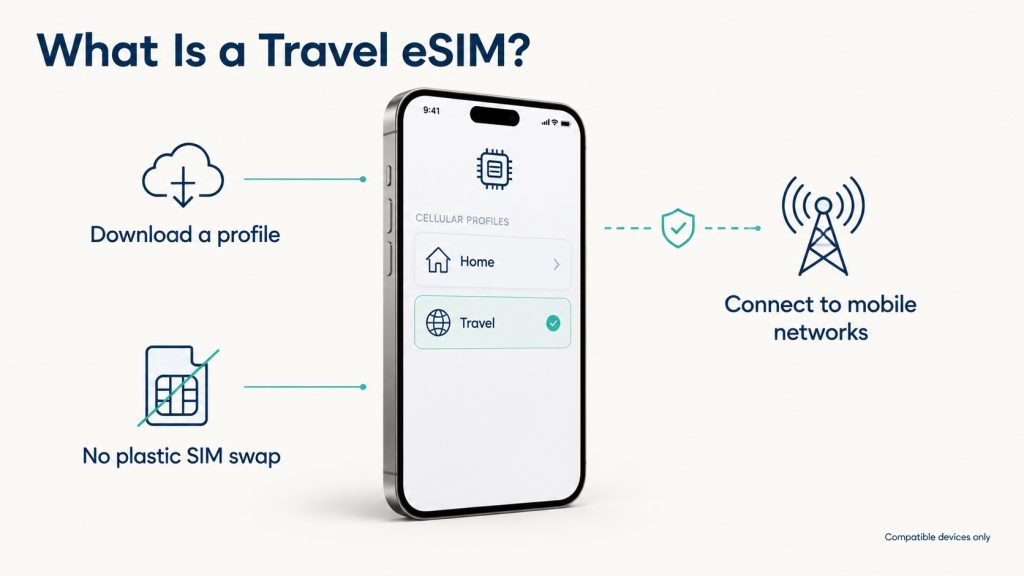
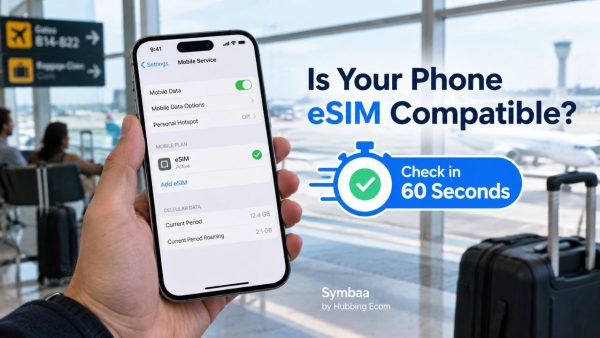
First, learn how to check if my phone supports a travel eSIM. Search Settings for Add eSIM, SIM Manager, or Cellular. Also, verify your model and purchase region. Importantly, eSIM support varies by model, purchase region, carrier, and installed software version.
Confirm your phone accepts another provider’s plan. On iPhone, open Settings, General, About. Then, find Carrier Lock and check for “No SIM Restrictions.” A locked phone may reject the plan. Therefore, unlock it before buying your eSIM for international travel.
Compare coverage, data, validity, networks, hotspot rules, and top-ups. Maps need less data than video calls or streaming. Therefore, estimate likely usage from your usual weekly travel habits. This explains how to buy and install an eSIM before travelling abroad without waste.
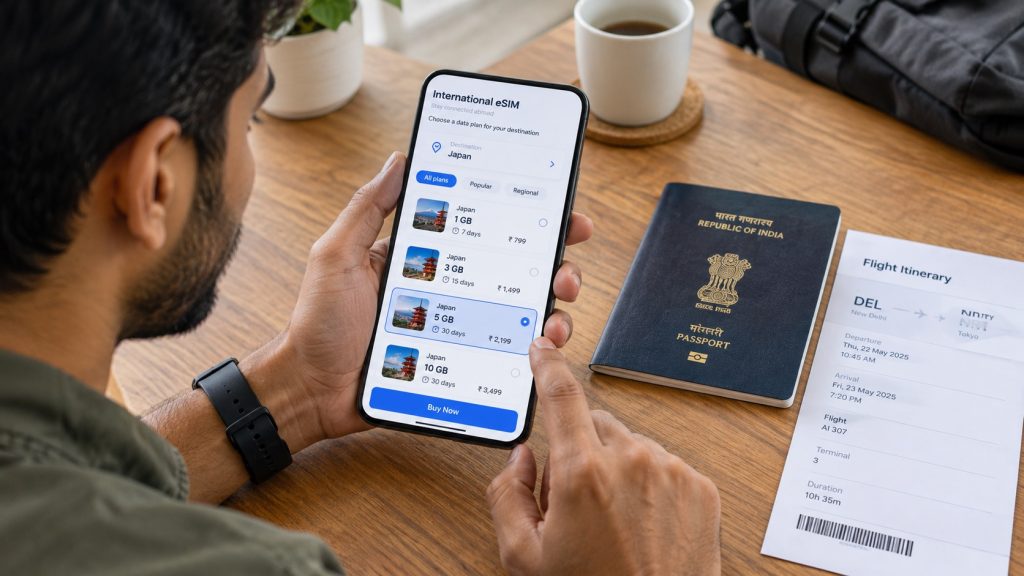
Usually, install the profile before departure using Wi-Fi. However, check when validity begins because policies vary. Some start during installation. Others start after connecting abroad. Therefore, the answer to should I install my eSIM before travelling depends on plan terms.
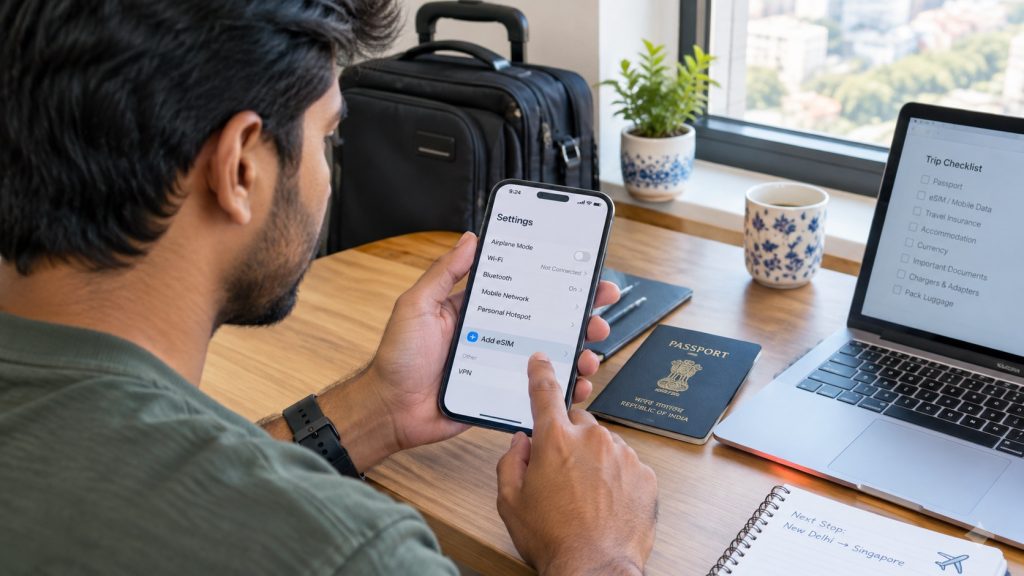
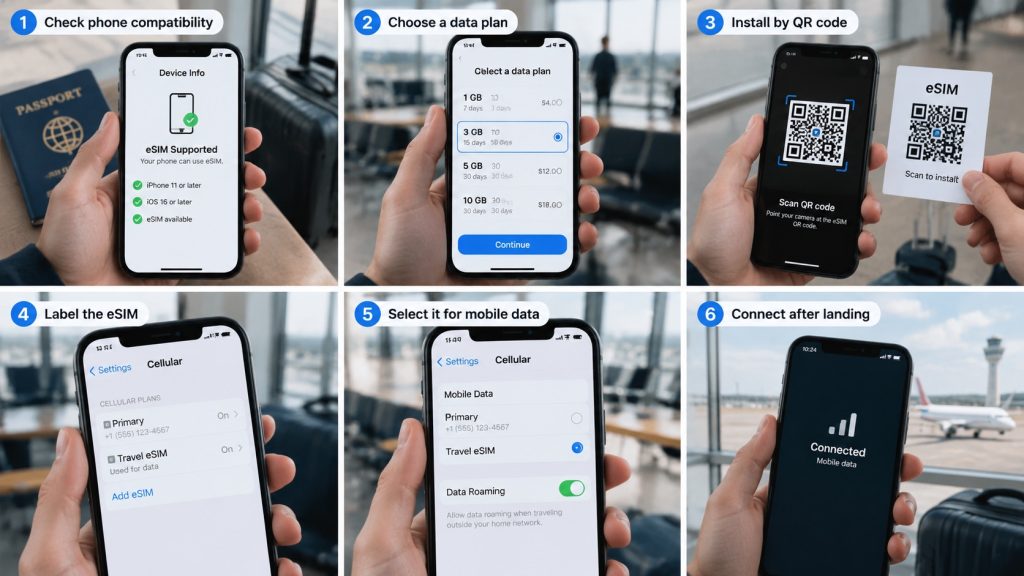
For how to install a travel eSIM on iPhone, open Settings. Tap Cellular or Mobile Data. Next, choose Add eSIM, then Use QR Code. Scan the supplied code and follow prompts. Finally, label the new line Travel or your destination.
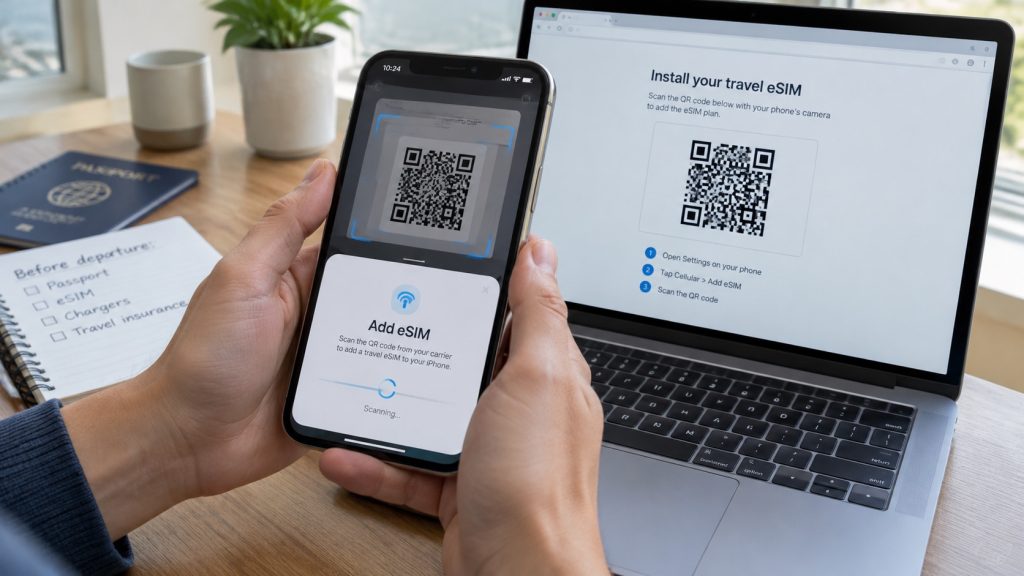
Need how to scan an eSIM QR code on the same phone? Try a secure direct-install link or application. Otherwise, show the code on another screen. Alternatively, enter the supplied SM-DP+ address and activation code manually. Never share these details.
For how to install a travel eSIM on Android, Pixel users open Settings. Next, choose Network and Internet, then SIMs. Next, tap Add SIM and Set up an eSIM. Follow the instructions. Thus, Google provides a route for supported Pixel phones.
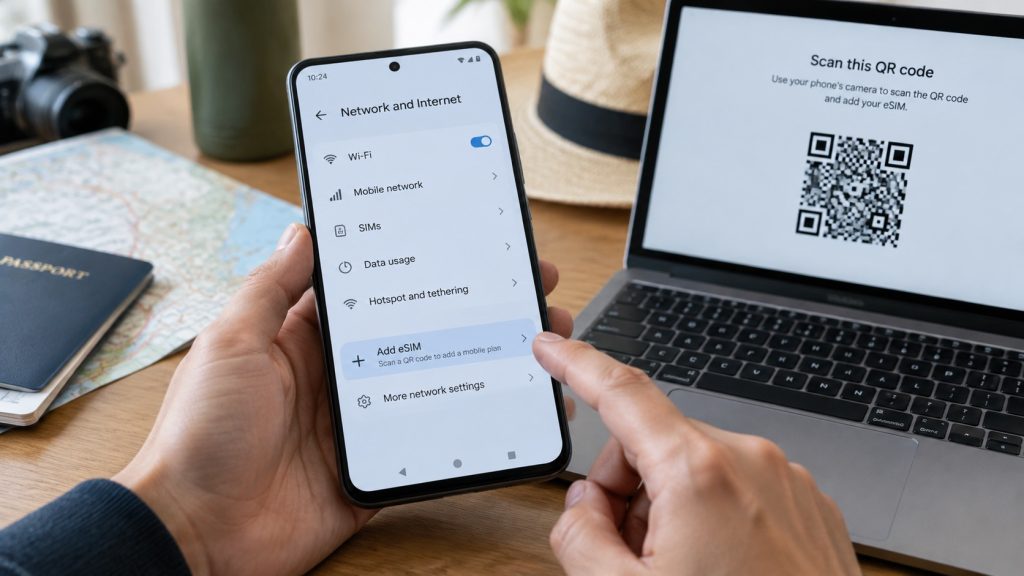
Samsung users open Settings, Connections, SIM Manager, and Add eSIM. Choose Scan QR Code and scan the code. Enter the activation code manually. Because labels vary, search Settings for eSIM. These steps explain how to install an eSIM and simplify how to install an eSIM safely.
Installation downloads the profile, while activation enables its network service. Therefore, when should I activate my eSIM for international travel depends on provider rules. If validity begins upon network connection, enable it after landing. Otherwise, follow its stated activation timing.
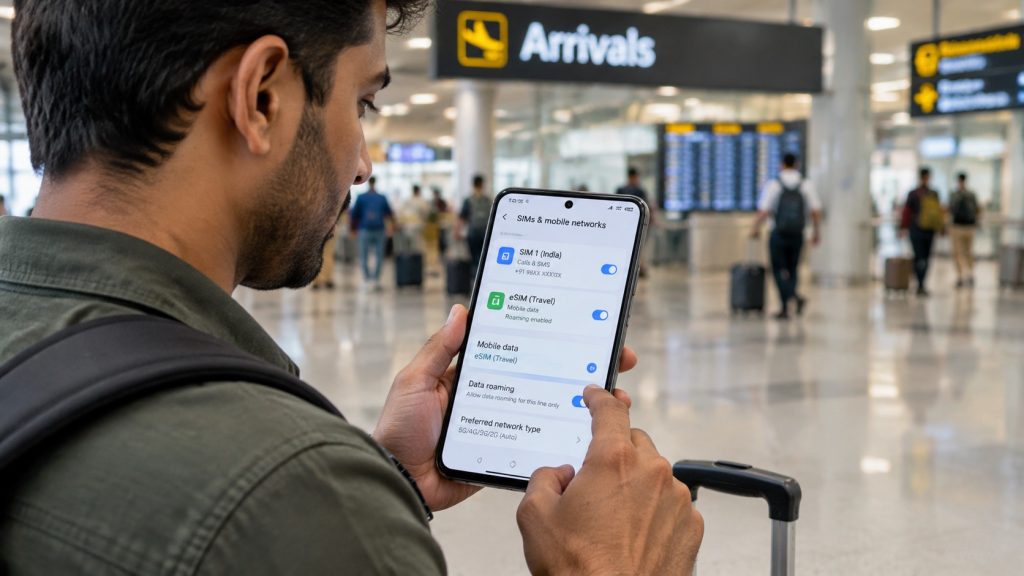
For how to activate a travel eSIM after landing, first disable airplane mode. Next, open settings and enable Travel. Then, select that line for mobile data. Finally, enable roaming only when your provider requires it. Wait patiently for network registration.
Knowing how to set travel eSIM as the mobile data SIM prevents accidental home-data use abroad. On iPhone, choose Settings, Cellular, Cellular Data, and Travel. On Android, open SIM Manager. Then, select Travel for data and disable automatic data switching.
So, should data roaming be on for my travel eSIM? Usually, travel plans need it for partner networks. However, follow your instructions. Meanwhile, keep roaming disabled on your Indian SIM. This separation makes how to activate a travel eSIM safer and clearer.
Need how to use a travel eSIM and keep my Indian SIM active? Supported phones can retain both lines. Select Travel for data and disable cellular switching. Meanwhile, keep the Indian line for essential SMS. However, home-carrier calls, texts, or roaming services may cost extra.
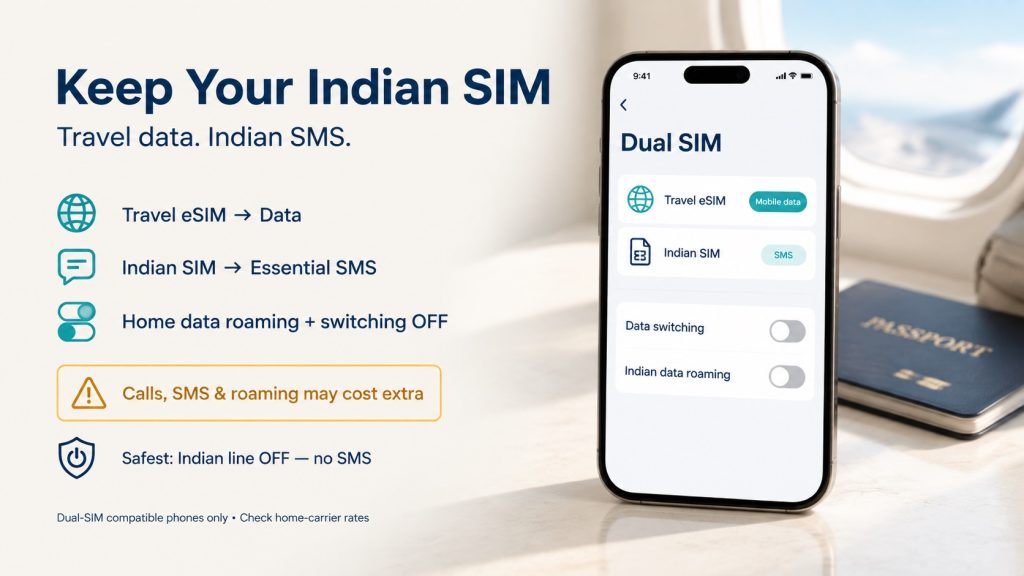
For how to avoid home SIM roaming charges when using a travel eSIM, disable home-line data roaming. Also, review overseas prices. For protection, switch off the Indian line. Consequently, how to use eSIM abroad becomes easier. This protects how to use eSIM abroad without surprise charges.
Is your travel eSIM installed but no internet abroad? First, confirm Travel remains enabled and selected for data. Next, check roaming, plan validity, remaining data, and destination coverage. Then, toggle airplane mode and restart the phone. These actions refresh network registration.
Afterward, compare the APN with your provider’s instructions. Also, try a listed network manually when automatic selection fails. However, never delete the profile before support approves reinstallation. Many QR codes work once, so deletion can make travel eSIM setup harder.
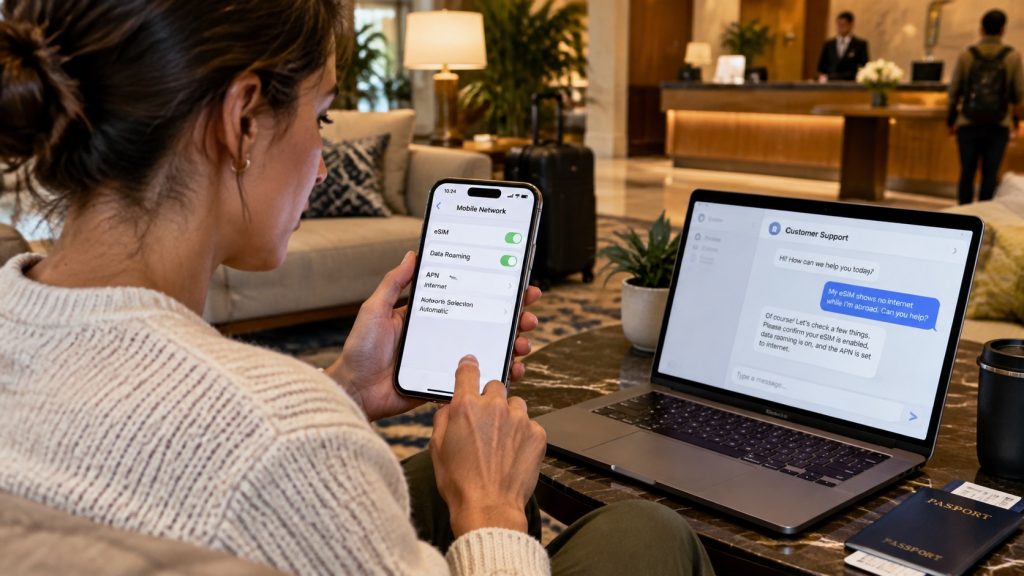
Finally, capture signal, SIM settings, mobile data is selected on Travel eSIM, Data Roaming is turned on on the Travel eSIM, APN settings if provided by seller, and errors. Then, contact Symbaa support through Wi-Fi. Share the destination, device model, iccid number, purchase email, and attempted fixes. These clear details help quickly diagnose a travel eSIM installed but no internet abroad problem faster.
A successful eSIM setup for beginners follows a clear order. Check, buy, install, activate, select, and test. Therefore, purchase suitable coverage before departure. Next, install safely over Wi-Fi. After landing, choose Travel for data. Finally, monitor usage and save support details.
Stage | Recommended action | Avoid this mistake |
Check | Confirm compatibility, unlock status, and destination coverage | Buying for the wrong model or country |
Buy | Match data, validity, networks, and top-up options | Choosing only by the lowest price |
Install | Use trusted Wi-Fi and label the profile Travel | Deleting a profile after an error |
Activate | Select Travel for data and follow roaming instructions | Leaving home data switching enabled |
Monitor | Track usage through Symbaa and top up when available | Streaming without checking your balance |
Before leaving, verify compatibility, unlock status, coverage, validity, and installation timing. After landing, enable Travel, select it for data, and follow roaming guidance. Therefore, this checklist shows how to activate a travel eSIM and how to use eSIM abroad confidently.
1. Is an eSIM different from a physical SIM?
Yes. An eSIM stores a downloaded network profile on an embedded secure component. Therefore, you do not insert plastic. However, both options authenticate your phone on cellular networks. An eSIM simply supports remote purchase and profile management on compatible, unlocked devices.
2. How to Use eSIM for International Travel for the first time?
First, purchase a suitable destination plan and install it over Wi-Fi. After landing, enable Travel and select it for mobile data. Then, follow the provider’s roaming instructions. This sequence explains how to activate a travel eSIM. It also covers how to use eSIM for international travel without changing physical cards.
3. Can I install my travel eSIM before flying?
Yes, early installation usually reduces arrival stress. However, check when plan validity begins before proceeding. Some plans start during installation, while others start after connecting abroad. Therefore, follow your purchased plan’s instructions instead of assuming every provider uses identical activation rules.
4. How to Install an eSIM without a QR code?
Providers often offer a secure direct link, application, or simple manual activation details. First, open your phone’s Add eSIM menu. Then, choose manual entry and enter the supplied information. Never invent details, because only your provider can issue correct profile credentials.
5. Can I scan the QR code from my phone screen?
Usually, your camera cannot scan a code displayed on the same screen. Therefore, open it on a laptop, tablet, or another phone. Alternatively, use a direct-install link or manual details. These choices solvehow to scan an eSIM QR code on the same phone.
6. Must I enable data roaming for a travel eSIM?
Often, yes, because many travel profiles use partner networks outside their issuing region. However, always follow your plan instructions. Enable roaming only on Travel. Meanwhile, keep it off on your Indian SIM. This step reduces unwanted home-provider data usage and charges.
7. Can I keep my Indian SIM switched on?
Yes, supported dual-SIM phones can keep both lines active. Select Travel for data and disable automatic switching. However, your Indian carrier may charge for calls or roaming services. Therefore, review its tariff and keep the home line active only when necessary.
8. Will my Indian number still receive OTP messages?
It may receive SMS when the home line remains active and registered abroad. However, availability and charges depend on your Indian carrier. Therefore, confirm roaming terms beforehand. Also, keep backup verification methods for banking and other essential accounts before starting your trip.
9. Does a travel data eSIM include calls and SMS?
Many plans provide data only, although some include voice or SMS. Therefore, check the product details before paying. With data-only service, use internet calling and messaging applications. However, emergency calling availability can differ by location, device, and active mobile line.
10. Why does my eSIM show “activating” before travel?
The phone may await a suitable destination network before completing registration. Therefore, “activating” does not always indicate failure. Keep the profile securely installed and follow guidance. However, contact support before departure when instructions promise immediate activation but status never changes.
11. Why is my travel eSIM connected without internet?
First, confirm Travel handles data and uses roaming when required. Next, check validity, balance, APN, coverage, and supported networks. Then, restart your device. If problems continue, contact Symbaa support over trusted Wi-Fi. Share screenshots, location details, settings and attempted fixes.
12. Should I delete an eSIM after a failed installation?
No. Never delete the profile unless support explicitly requests removal. Many QR codes permit only one installation. Therefore, deletion can complicate recovery or require replacement details. Instead, capture the error, restart your phone, verify settings, and contact the provider first.
13. Can one eSIM cover several countries?
Yes, regional and global plans may cover several listed destinations. However, coverage varies by product. Therefore, check every country on your itinerary, including transit stops. A single-country plan may stop across borders, while a regional eSIM for international travel offers broader convenience.
14. How much travel data should I buy?
Choose data carefully according to trip length and normal habits. Messaging and maps use less than video, backups, or hotspots. Therefore, review your mobile usage and add a buffer. Also, check whether your Symbaa plan supports top-ups during your journey.
15. Can I use hotspot with a travel eSIM?
Many plans allow tethering, but provider and device restrictions can apply. Therefore, check plan details before purchase. Hotspot use can drain data and battery quickly. Consequently, secure it with a password. Also, monitor your data through the Symbaa application during travel.
16. Can I move my travel eSIM to another phone?
Transfer rules vary by provider, device, and profile. Some profiles support transfers, while others require new activation details. Therefore, never erase the original profile first. Contact support, provide both device models, and follow approved steps safely to protect your plan.
17. What happens when my data or validity ends?
Mobile data stops after the allowance or validity expires. If the plan supports top-ups, purchase one before losing access. Otherwise, buy another compatible plan. Therefore, monitor consumption in the Symbaa application. Also, keep trusted hotel or airport Wi-Fi as backup.
18. Is Wi-Fi required for eSIM installation?
You need reliable internet access to download most eSIM profiles. However, avoid unsecured public Wi-Fi . Prefer a trusted home, hotel, or personal hotspot connection. Apple also says iPhones generally need Wi-Fi or a hotspot when activating a travel eSIM abroad.
19. How to Use eSIM for International Travel without roaming surprises?
Select Travel for mobile data, disable automatic switching, and turn off roaming on your home SIM. Also, review home-carrier charges for calls and SMS. These controls explain how to use eSIM abroad. They also show how to use eSIM for international travel with less home-data use.
20. Where can I buy and manage a Symbaa eSIM?
Buy affordable data plans through Symbaa Travel eSIM Data Application or Hubbing Ecom’s website . Then, manage usage conveniently through Symbaa. If your phone lacks eSIM support, choose a Physical Data Card. Thus, Hubbing Ecom supports different devices and travel needs.
Stay Connected with Symbaa by Hubbing Ecom
Choose an affordable Symbaa eSIM for international travel. You get simple setup, flexible data, and usage management. Buy through Travel eSIM App Symbaa or Hubbing Ecom’s website . Alternatively, choose a Physical Data Card. With careful travel eSIM setup, travelers can reduce home-data roaming dependence.
Download Symbaa
You may like reading similar Blogs
How to Turn Off ‘Allow Mobile Data Switching’ to Stop Surprise Carrier Roaming Bills
Why Does My eSIM Have Full Signal Bars but No Internet? 7 Underlying Fixes
Is Your Phone eSIM Compatible? Check in 60 Seconds
Never Delete Your Travel eSIM: What Happens When You Tap ‘Delete eSIM’ & How to Recover
eSIM vs Pocket WiFi vs International Roaming: Which Is Best for Your Trip in 2026?
Day Pass, Unlimited or Fixed Data eSIM: Which Plan Is Best for Your Trip?
How to Keep Your WhatsApp Number Active While Using a Travel eSIM
Should I Install My eSIM Before Travel or After Landing? The Complete Answer
eSIM for Short Layovers and Airport Transit: Do You Really Need Data for 2–6 Hours?
Best eSIM,Physical SIM for Southeast Asia: Nepal, Sri Lanka, Philippines, Bali Compared
eSIM for Digital Nomads and Remote Workers: The Complete Connectivity Setup in 2026
eSIM Security and Privacy: Is Your Data Safe When Traveling?
Does Travel eSIM Support Wi-Fi Calling? How to Check Your Phone
Subscribe to our YouTube channel and follow us on Instagram for more updates.
About author
Swatantra Ranjan is a telecom professional with over 15 years of experience in the global telecommunications industry having worked in India & Dubai, specializing in eSIM solutions, voice services, SMS, international roaming, Direct Inward Dialing (DID) numbers, virtual numbers, and sales/services experience in B2C/B2B banking industry. Having traveled to more than 20 countries, he combines deep technical expertise with firsthand international travel experience to create practical, accurate, and trustworthy content on global connectivity, mobile technology, and travel communications. His articles help travelers, businesses, and telecom professionals make informed decisions about staying connected efficiently and securely across the world. Check out LINKEDIN Profile

Leave a comment