

Wondering how many eSIMs can a phone store before buying your next travel plan? First, separate saved profiles from active connections. Compatible iPhones store eight or more profiles, according to Apple. However, your phone cannot necessarily connect every saved profile together, so check both limits before travelling.
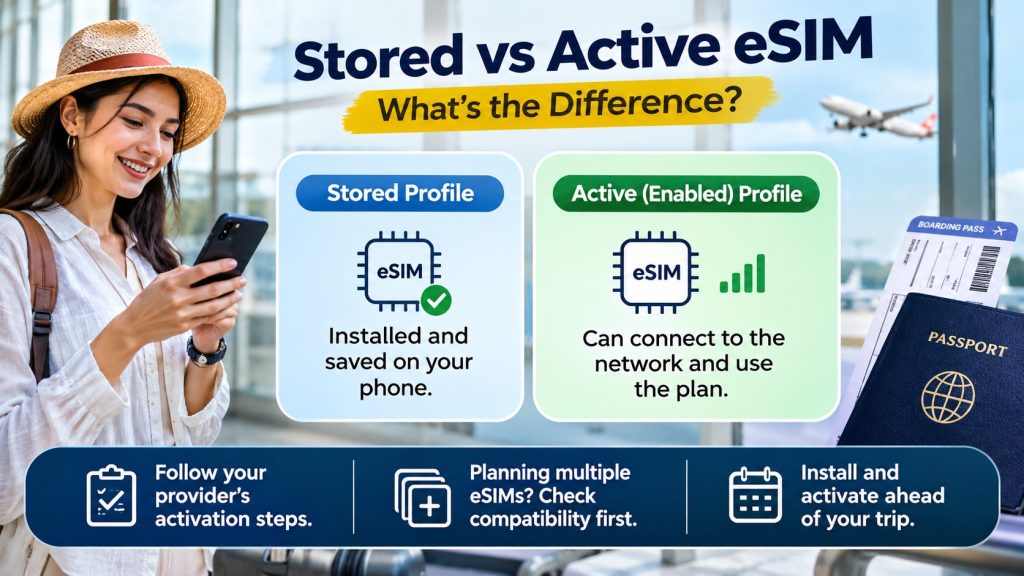
A stored profile stays installed; an enabled profile can connect through its provider (Google). However, installation, network connection, and plan validity describe different things. Consequently, check your provider’s activation instructions before preparing multiple eSIMs on one phone. Give yourself time before your next international travel adventure.
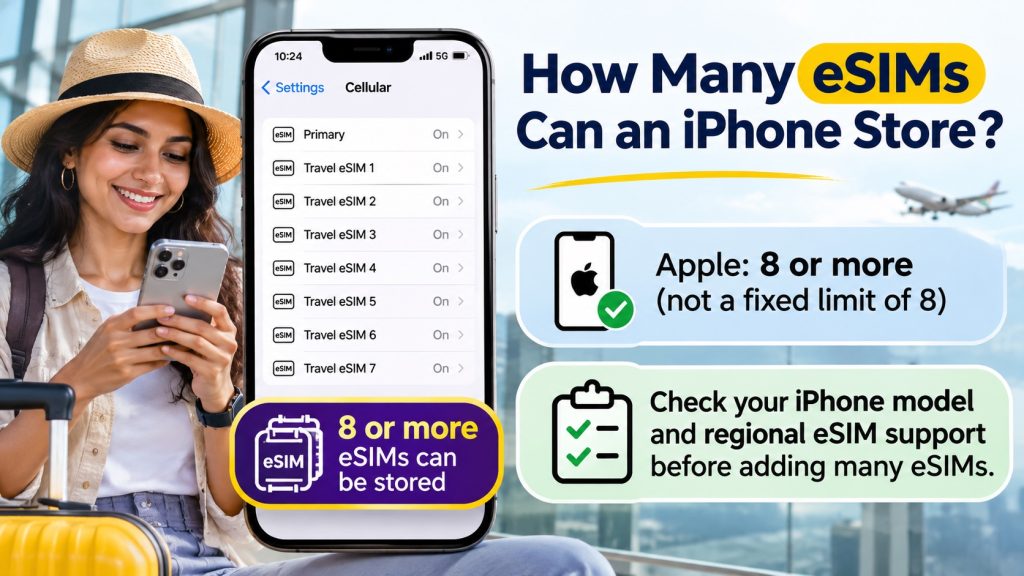
Apple states eight or more, rather than a universal maximum of exactly eight (Apple). So, how many eSIMs can an iPhone store beyond that baseline? Check your specific model before planning a large collection. Also, confirm regional eSIM support rather than relying entirely on the model name.
iPhone 13 models and later support two active eSIMs, subject to compatibility and carrier requirements (Apple). However, older supported models generally pair one eSIM with one physical SIM (Apple). Therefore, check both generations and variants when planning your home line alongside a travel data connection.
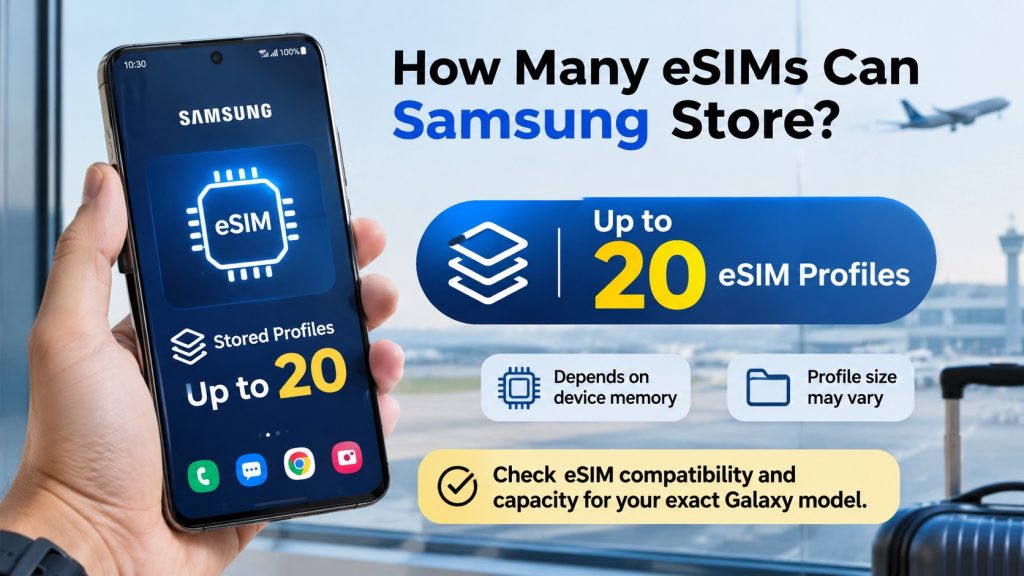
Samsung publishes an upper figure of twenty downloaded profiles, with memory and profile-size limitations (Samsung). Therefore, how many eSIMs can Samsung store on your particular Galaxy? The practical answer can fall below twenty. Before buying, confirm eSIM compatibility and the capacity guidance for your exact regional model.
Samsung supports two active eSIMs on select Galaxy models, rather than every eSIM-compatible Galaxy (Samsung). However, other supported configurations pair a physical SIM with an eSIM (Samsung). Consequently, ask support about your model code, region, software, and carrier before using dual eSIMs abroad.
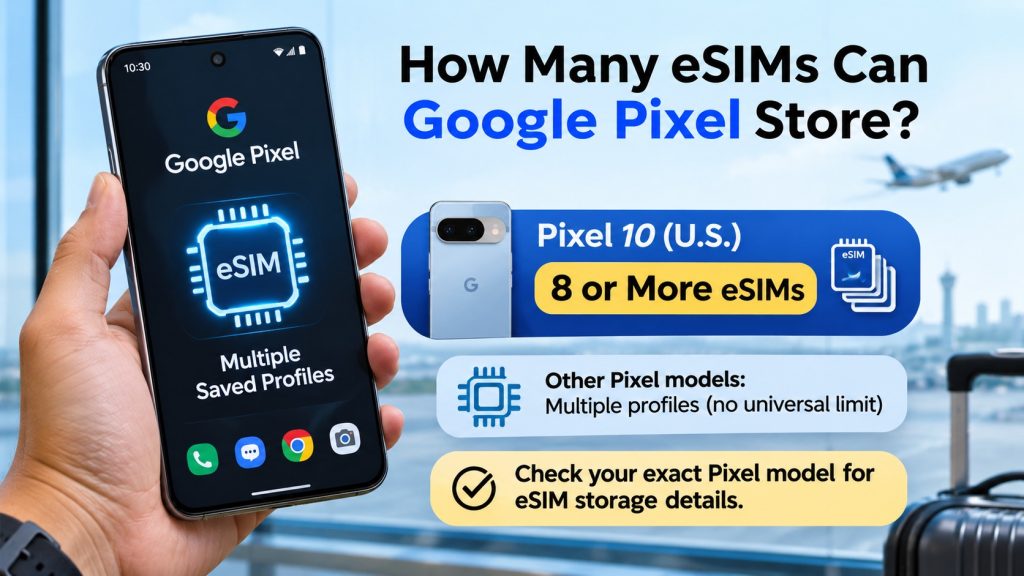
Google confirms multiple saved profiles, but its general eSIM guidance gives no universal storage maximum (Google). So, how many eSIMs can Google Pixel store on newer models? Google’s US Pixel 10 specifications explicitly list eight or more (Google). However, avoid applying that specification to every older Pixel.
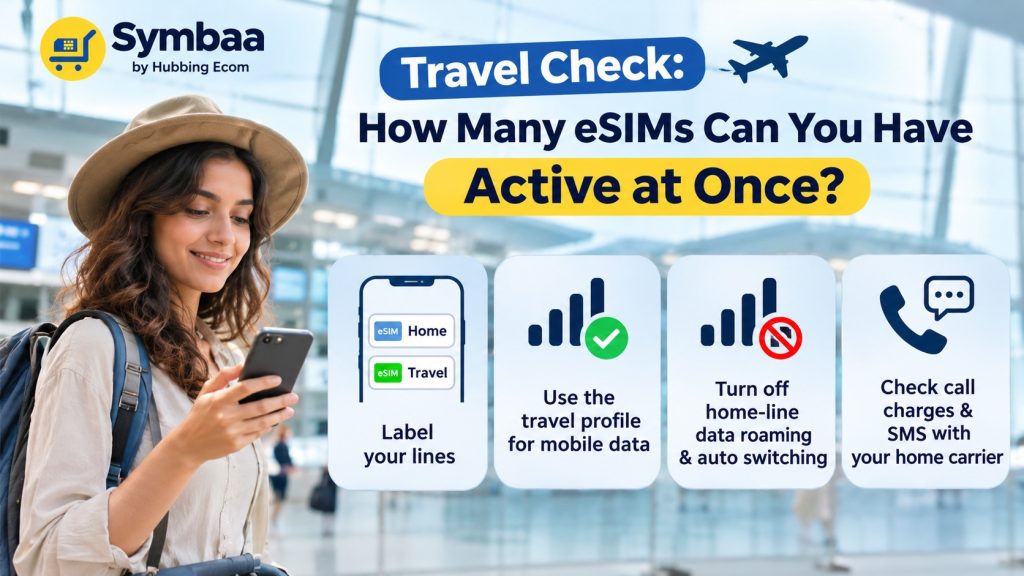
For travel, label your lines clearly before departure, then choose the travel profile for mobile data (Apple). Next, disable home-line data roaming and automatic data switching to limit accidental data charges (Symbaa | Hubbing Ecom). However, ask your home carrier about call charges and overseas SMS availability.
Also, a data-only travel plan does not replace your regular number’s voice or SMS service (Hubbing Ecom). Instead, use internet calling applications when suitable (Hubbing Ecom). Meanwhile, ask your carrier about overseas OTP delivery before departure. That check matters when banking or bookings require verification during your holiday.
Before purchasing, confirm that your handset supports eSIM and accepts another provider’s service (Hubbing Ecom). On iPhone, check General, About, then Carrier Lock for “No SIM restrictions” (Apple). Also, verify your exact regional model rather than trusting a broad compatibility list. This avoids an expensive last-minute surprise.
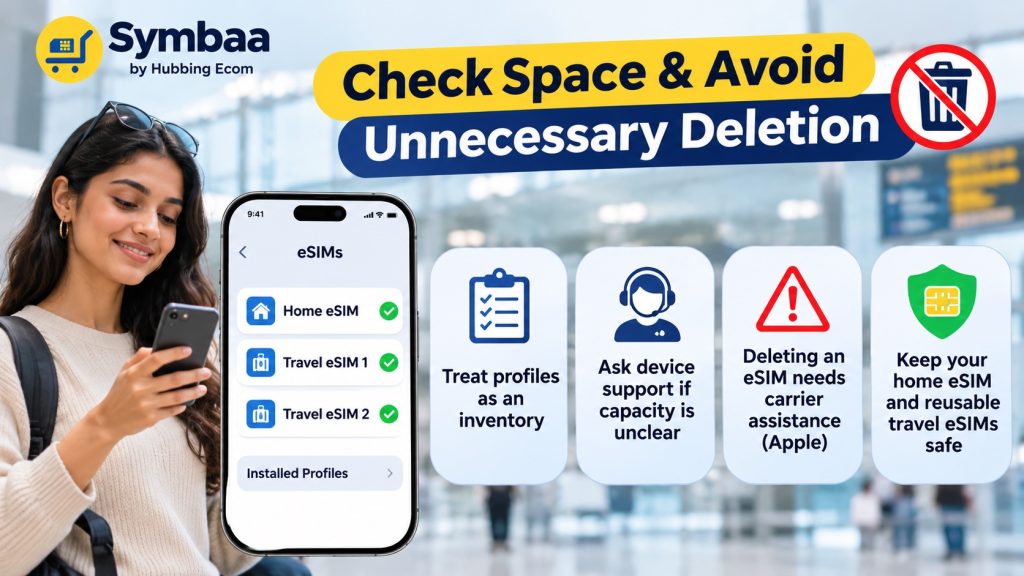
Treat installed-profile lists as inventories, not guaranteed remaining-slot counters. Also, ask device support when capacity remains unclear. Before removing anything, remember Apple’s warning: deleting an eSIM requires carrier assistance for replacement (Apple). Therefore, protect your home profile and reusable travel connections first.
In short, multiple eSIMs on one phone offer flexibility, but storage never determines simultaneous connections (Google). Instead, compare your exact model’s saved-profile capacity and active-line support. Then, choose the simplest setup for your itinerary, home number, and travel-data plan. Check everything before your next international departure.
Phone or question | Stored profiles | Active setup and recommendation |
How many eSIMs can an iPhone store? | Eight or more (Apple) | Two eSIMs on iPhone 13 onward; verify variant (Apple) |
How many eSIMs can Samsung store? | Up to twenty; memory-dependent (Samsung) | Two eSIMs on select models; check specifications (Samsung) |
How many eSIMs can Google Pixel store? | Model-dependent; US Pixel 10 lists eight-plus (Google) | Pixel 7 onward supports two, carrier permitting (Google) |
Symbaa travel data | Phone determines capacity | Buy through Symbaa or Hubbing Ecom; review usage (Hubbing Ecom) |
Physical data card | No eSIM storage requirement | Consider Hubbing Ecom for compatible unlocked phones (Hubbing Ecom) |
How many eSIMs can an iPhone store for holidays?
Apple says compatible iPhones store eight or more eSIMs, which helps travellers keep several profiles available (Apple). However, saved profiles do not guarantee ongoing plan validity. Therefore, check expiry and reuse rules before assuming last year’s travel profile still provides data abroad.
How many eSIMs can Samsung store for frequent travel?
Samsung gives an upper figure of twenty profiles, but memory and profile size affect actual capacity (Samsung). So, how many eSIM profiles can a Samsung Galaxy store? Confirm your particular device before purchasing many country plans. Also, avoid confusing saved profiles with active lines.
How many eSIMs can Google Pixel store before departure?
Google’s general guidance confirms multiple profiles without stating one storage maximum for every Pixel (Google). Therefore, how many eSIM profiles can a Google Pixel store depends on model-specific specifications. For example, Google’s US Pixel 10 specification lists eight or more saved eSIMs (Google). Check your variant before buying.
How many eSIMs can you have active at once abroad?
Supported phones can keep two lines enabled, although SIM combinations depend on hardware and carriers (Google). However, enabling two lines does not combine their data allowances. For example, iPhone uses only one cellular data network at any moment (Apple). Choose your travel line deliberately before departure.
Does multiple eSIMs on one phone mean simultaneous data?
No, storing profiles and selecting a data connection involve different controls (Google). For example, iPhone allows only one cellular data network at once (Apple). Therefore, select your travel plan for browsing. Also, review automatic switching settings before your home line unexpectedly handles chargeable overseas data.
How many eSIM profiles can I store on my iPhone?
Apple’s answer remains eight or more on compatible iPhones, rather than a guaranteed exact ceiling (Apple). However, verify regional support and your particular model. Before travelling, review existing profiles and label them clearly. Then, confirm each provider’s expiry, activation, and reuse conditions before adding another package.
How many eSIMs can I have installed at the same time?
Your phone’s profile-storage capacity determines installation limits, while separate hardware and carrier rules govern simultaneous use (Samsung). Therefore, identify your exact model first. Next, check its official specifications and installed-profile list. Finally, contact manufacturer support if the phone reports insufficient eSIM memory or refuses another installation.
How many eSIMs can be active at once on iPhone?
iPhone 13 models and later support two active eSIMs, alongside model-specific regional and carrier requirements (Apple). However, older supported models generally use one physical SIM alongside one eSIM (Apple). Consequently, check your generation before assuming two digital profiles can keep your home and travel connections available.
Can I use two eSIMs at the same time on Samsung Galaxy?
Yes, select Galaxy models support two active eSIMs, according to Samsung’s dual-SIM guidance (Samsung). However, Samsung does not extend that promise to every Galaxy. Therefore, check your model code, sales region, carrier, and current software. Ask support to confirm dual-eSIM operation before relying on it overseas.
Can I use two eSIMs at the same time on Google Pixel?
Yes, Pixel 7 and later support two eSIM profiles together when your carrier allows that feature (Google). However, that capability does not establish storage capacity across all generations. Therefore, verify both limits separately. Also, choose your preferred data line before leaving reliable Wi-Fi during travel.
Can I add a travel eSIM without deleting my existing eSIM?
Usually, compatible phones retain multiple profiles, so another installation need not require deleting your home connection (Google). However, available storage still matters. First, check compatibility and capacity. Then, follow your travel provider’s installation instructions rather than removing an important existing profile just in case.
Can I install multiple travel eSIMs before travelling?
Compatible phones can store multiple profiles, allowing advance preparation for different journeys (Google). However, follow each provider’s timing and activation instructions. For Hubbing Ecom plans, review the supplied setup guidance before departure (Hubbing Ecom). Then, check validity carefully rather than assuming installation never starts a package’s clock.
Can I store eSIMs for different countries on one phone?
Yes, multiple saved profiles can help you manage international plans and switch between connections while travelling (Google). Alternatively, Hubbing Ecom offers regional and global packages covering listed destinations (Hubbing Ecom). Therefore, compare your itinerary against each package’s country list before buying several separate travel plans unnecessarily.
How to switch between eSIM profiles when travelling abroad?
First, open your phone’s SIM settings and enable the required travel line (Google). Next, select that connection for mobile data and follow its roaming instructions (Hubbing Ecom). Also, keep home-line data roaming disabled (Hubbing Ecom). Finally, test browsing before leaving the airport’s reliable Wi-Fi or requesting a ride.
Do I need to delete an old eSIM before adding a new one?
Not simply because you want another plan: compatible phones support multiple saved profiles (Google). However, storage limits can eventually require cleanup. Before deleting anything, contact your provider about replacement and reuse. Also, remember that deleting an iPhone eSIM does not cancel its subscription (Apple).
How to check available eSIM profile slots on my phone?
Start with your installed-profile list and exact model specifications, rather than assuming a visible slot counter exists. Then, ask manufacturer support if capacity remains unclear. Samsung explicitly warns that profile size affects storage (Samsung). Therefore, counting existing profiles alone cannot always reveal exactly how many more will fit.
What if installation fails or an existing profile stops working?
First, check your provider’s setup instructions, device compatibility, network coverage, and selected mobile-data line (Hubbing Ecom). Then, contact support before deleting the profile. Apple specifically advises against deleting eSIMs during troubleshooting without carrier direction (Apple). Therefore, keep your order details available while support checks the problem.
Can Symbaa increase capacity or monitor my travel data?
Your phone’s hardware determines capacity, not the travel application (Samsung). However, Symbaa lets customers purchase plans and review usage for supported services (Hubbing Ecom). So, how many eSIMs can you have active at once remains a device question. Meanwhile, use Symbaa to manage your eligible travel package.
Should I choose a Symbaa eSIM or physical data card?
Choose affordable travel data for maps, messages, and online bookings without relying entirely on public Wi-Fi. Compare plans through Hubbing Ecom’s website or Symbaa travel application (Hubbing Ecom). Alternatively, request a physical data card (Hubbing Ecom). Finally, manage supported usage in Symbaa and check package conditions before purchase (Hubbing Ecom).
You may like reading similar Blogs
Using Ride-Hailing Apps Abroad: Uber, Grab, Bolt & Kakao T with a Data-Only eSIM
eSIM Hotspot Not Working? How to Fix Tethering on iOS and Android Abroad
Does Travel eSIM Support Wi-Fi Calling? How to Check Your Phone
Does a VPN Work with Travel eSIM? Common Problems, Fixes & Tips
How to Turn Off ‘Allow Mobile Data Switching’ to Stop Surprise Carrier Roaming Bills
Why Does My eSIM Have Full Signal Bars but No Internet? 7 Underlying Fixes
Is Your Phone eSIM Compatible? Check in 60 Seconds
Never Delete Your Travel eSIM: What Happens When You Tap ‘Delete eSIM’ & How to Recover
eSIM vs Pocket WiFi vs International Roaming: Which Is Best for Your Trip in 2026?
About the Author
Swatantra Ranjan is a telecom professional with over 15 years of experience in the global telecommunications industry having worked in India & Dubai, specializing in eSIM solutions, voice services, SMS, international roaming, Direct Inward Dialing (DID) numbers, virtual numbers, and sales/services experience in B2C/B2B banking industry. Having traveled to more than 20 countries, he combines deep technical expertise with firsthand international travel experience to create practical, accurate, and trustworthy content on global connectivity, mobile technology, and travel communications. His articles help travelers, businesses, and telecom professionals make informed decisions about staying connected efficiently and securely across the world. Check out LINKEDIN Profile

Leave a comment