

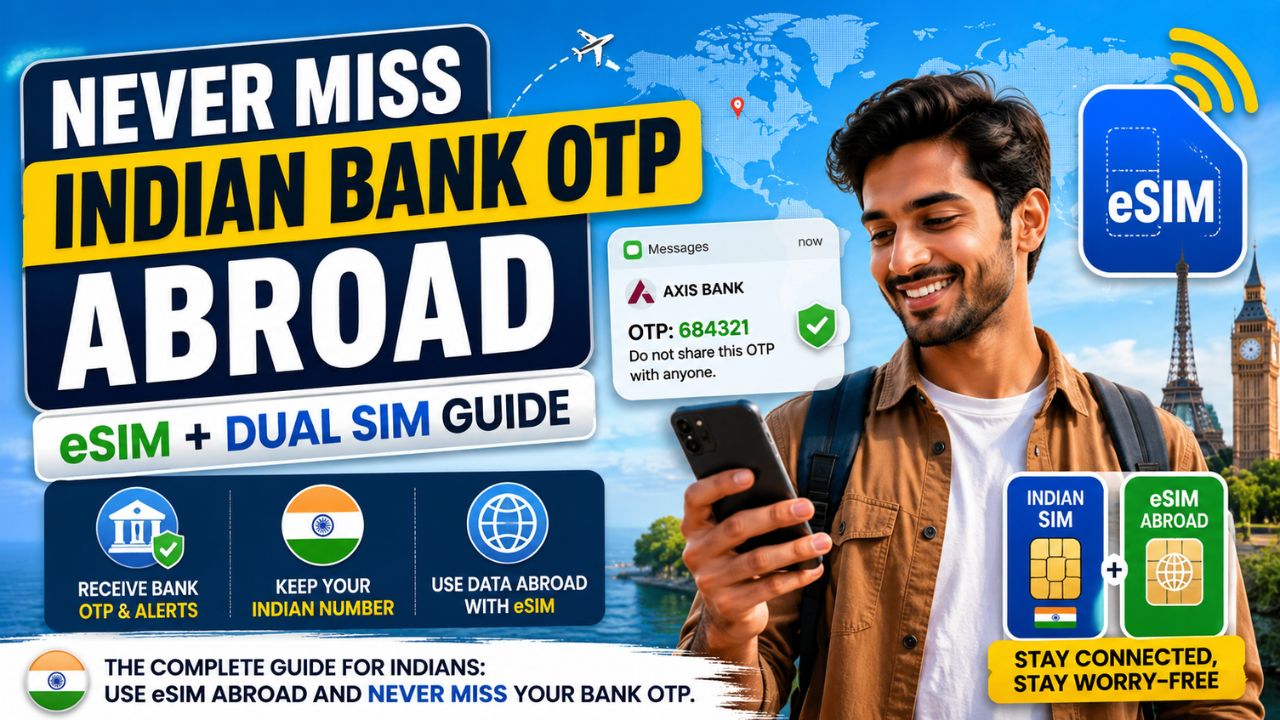
You finally land in Dubai, Bangkok, or London. You open your banking app. Suddenly, no OTP arrives. The transaction fails and you panic. This nightmare happens to thousands of Indian travelers every year. However, you can completely avoid this situation. This guide shows you how to use eSIM abroad without missing your Indian bank OTP. It also covers every UPI alert you rely on daily. Follow these steps carefully before your next trip begins.
Why Indians Miss Bank OTPs Abroad
Your Indian bank sends every OTP to your registered mobile number. When you insert a foreign SIM abroad, your Indian number goes silent. Therefore, every UPI payment and net banking login fails instantly. Many travelers activate a roaming pack but still disable their Indian SIM. This creates the exact same problem for them abroad. The solution is simpler than most people realize. Your Indian number must stay reachable for incoming SMS. Moreover, it must stay registered on an active network throughout your trip.
The Core Solution: Dual SIM and Travel eSIM
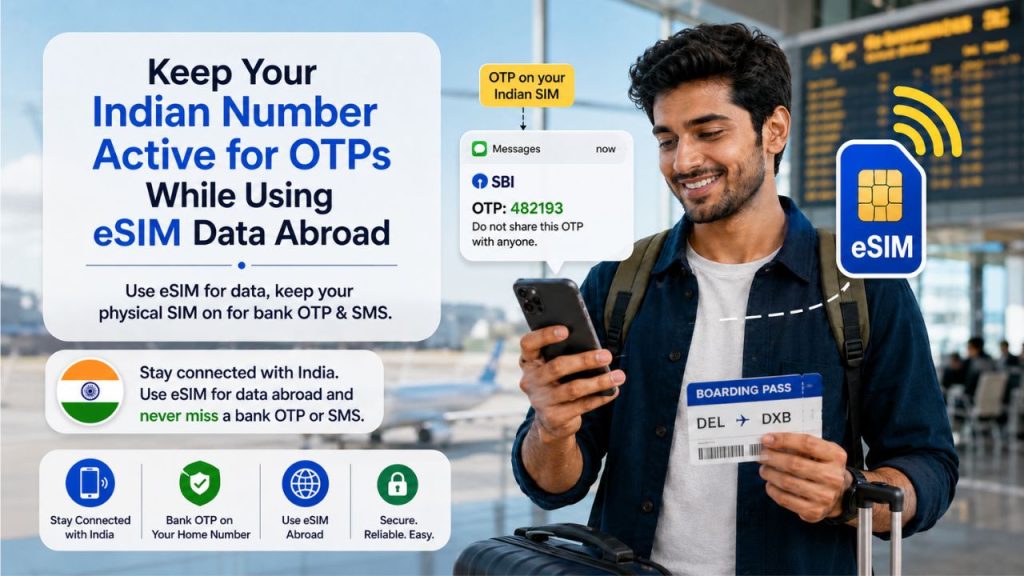
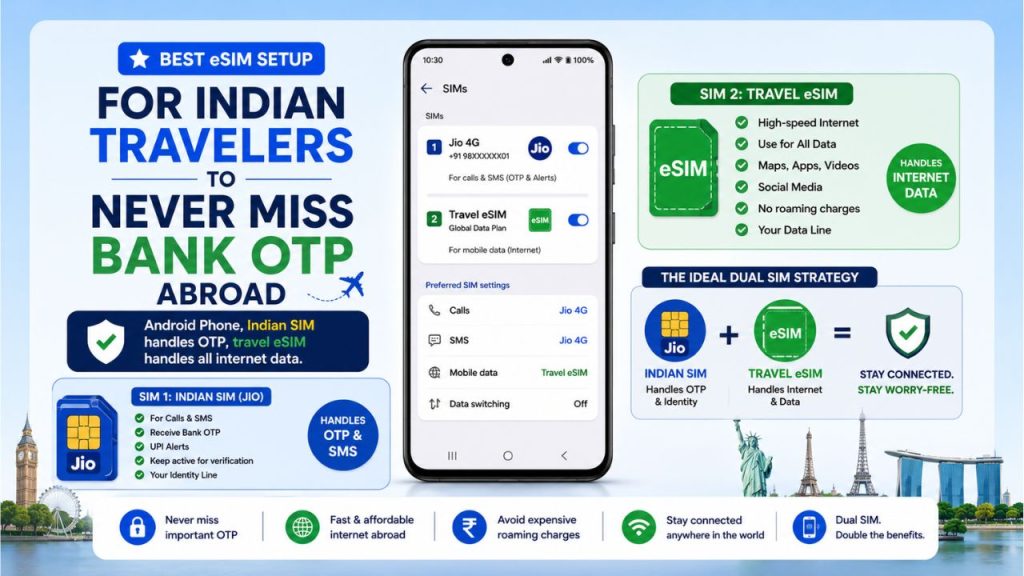
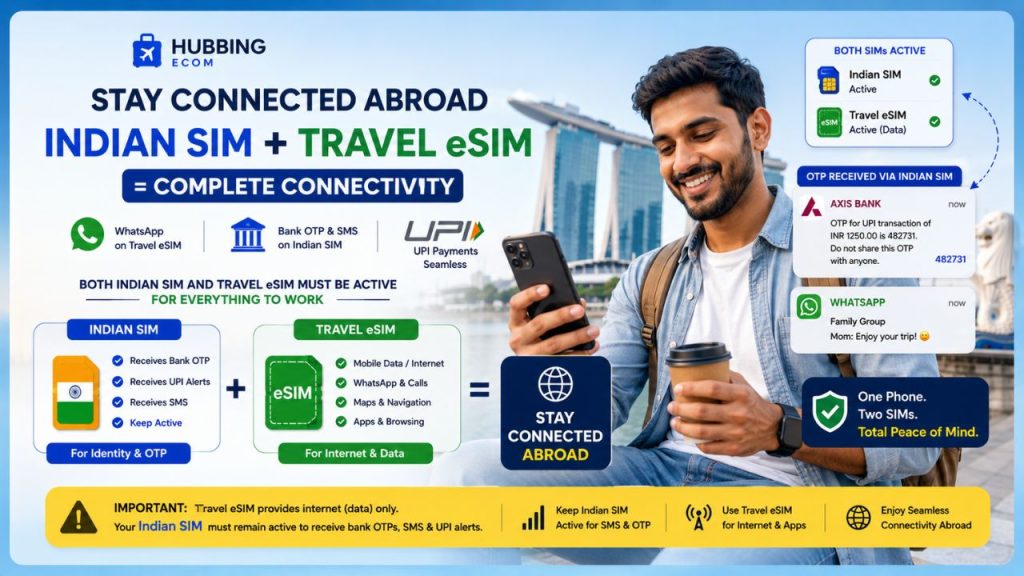
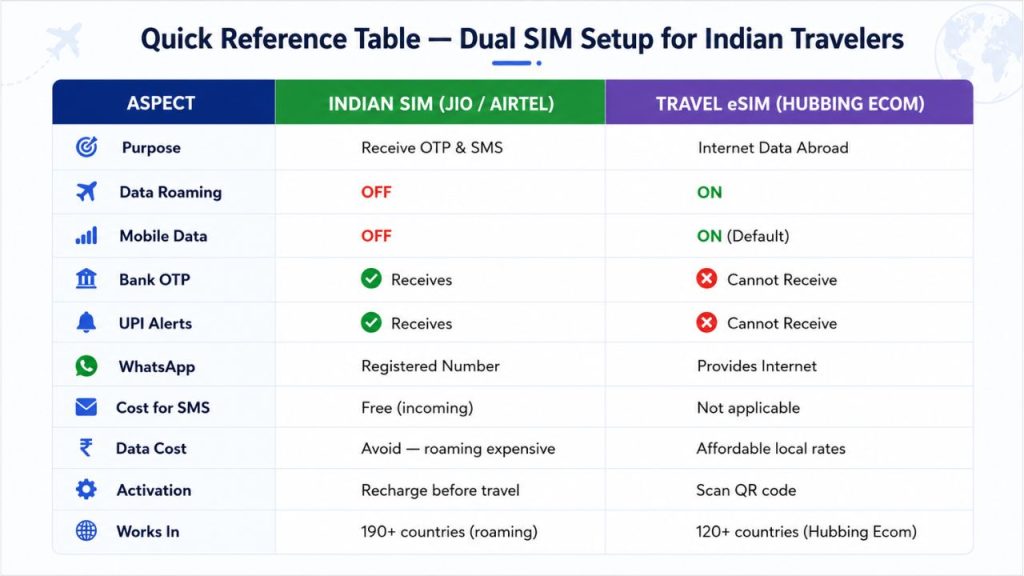
The smartest approach for Indian travelers is a dual SIM setup on their phone. You keep your Indian physical SIM active for calls and SMS only. Additionally, you install a travel eSIM for all your internet data needs. This setup lets you receive Indian bank OTPs abroad without paying for roaming data. The golden rule is straightforward. Never turn off your Indian SIM during international travel. Instead, turn off data roaming on the Indian line only. Your Jio or Airtel number then stays alive and receives SMS at no extra cost.
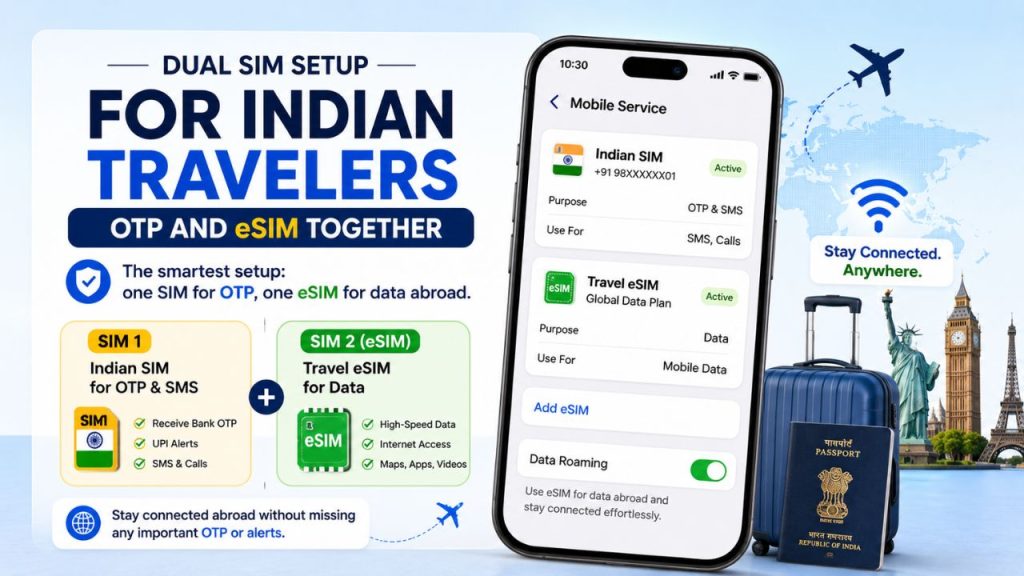
This approach is also the cheapest way to receive Indian bank OTPs without roaming. Jio officially confirms that all incoming SMS are free in international roaming. Airtel users receive OTPs on any basic prepaid recharge without a separate pack. So you pay nothing extra to receive your bank SMS. Consequently, you save significant money while staying fully protected during every online transaction.
How to Keep Your Indian Number Active for OTP with eSIM
To keep your Indian number active for OTP with eSIM running alongside it, complete three steps. First, recharge your Indian SIM with a valid plan before you leave. An expired SIM cannot receive SMS even on international roaming. So recharge it at least one week before departure. Second, activate international roaming on your SIM before flying. For Jio users, open the MyJio app and go to Settings. Navigate to International Roaming and press Activate. For Airtel, a standard Rs. 199 recharge with 28-day validity activates roaming. Third, purchase and install your travel eSIM before boarding the flight. Scan the QR code at home for instant activation after landing. Overall, this entire process takes less than ten minutes.
Step-by-Step iPhone Settings to Get Indian OTP Abroad
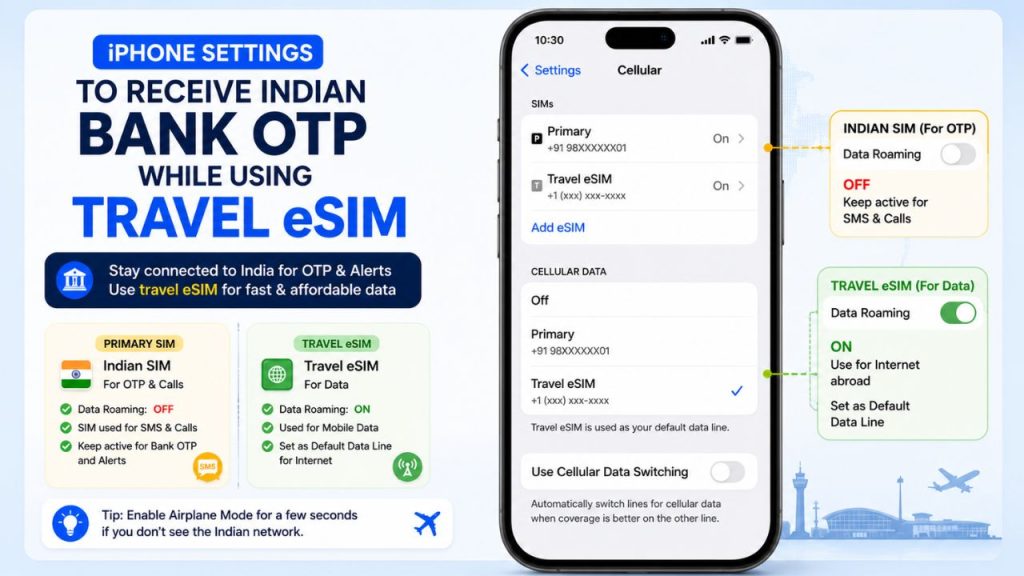
These step-by-step settings to get Indian OTP while using eSIM work on iPhone XS. They apply to all newer iPhone models as well. Open Settings and tap Cellular. You will see both your Indian SIM and travel eSIM listed. First, tap your Indian SIM line and turn Data Roaming to OFF. Set this line for Calls and SMS use only. Next, tap your travel eSIM line and turn Data Roaming ON. Set it as your Default Data line immediately. Also, turn off Allow Cellular Data Switching to prevent accidental charges on your Indian SIM. As a result, your Indian SIM stays connected and receives every OTP. Your travel eSIM carries all browsing and streaming traffic smoothly. Furthermore, you avoid any surprise bills on your Indian plan abroad.
Step-by-Step Android Settings for Dual SIM OTP Setup
Android users on Samsung, OnePlus, or Pixel phones follow this quick process. First, go to Settings and open SIM Card Manager or Dual SIM settings. Set your travel eSIM as the Default Data SIM right away. Then tap your Indian SIM and turn off its Mobile Data toggle. On Samsung phones, also enable the Dual SIM Always On option. This keeps both lines active and reachable at the same time. So your Indian SIM receives all incoming bank OTPs silently in the background. Your travel eSIM manages browsing, maps, and video calls at local rates. This dual SIM setup works reliably in the USA, UAE, Europe, Thailand, and Singapore. Furthermore, you face zero unexpected data charges on your Indian mobile line.
Before You Fly: A Quick Checklist
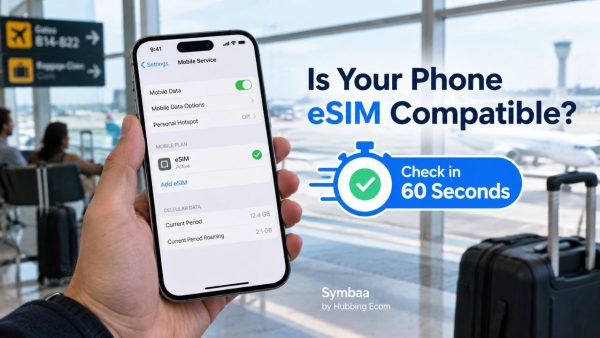
Smart travelers prepare their phone setup before they even pack their bags. First, check that your phone supports dual SIM or eSIM technology. Most iPhones from XS onward and Samsung Galaxy S20 onward support this. OnePlus, Google Pixel, and Xiaomi mid-range phones also support dual SIM. Second, confirm your phone is unlocked and works with all eSIM providers. Third, verify your bank-registered number matches your active Indian SIM. Before departure, send a test OTP from your bank app while still in India. This simple five-minute check saves major stress during your travels abroad.
Can You Receive OTP Directly on a Travel eSIM?
Many travelers ask if a travel eSIM can receive Indian bank OTP directly. The answer is no for most travel eSIMs available today. Travel eSIMs are data-only products by design. They do not carry a phone number for receiving calls or SMS messages. Therefore, they cannot receive Indian bank OTPs directly on the eSIM line. Your Indian bank always sends OTPs to your registered +91 Indian number only. This is exactly why the dual SIM setup matters so much for Indian travelers.
Fixing SBI, HDFC, and ICICI OTP Issues Abroad
When HDFC UPI is not receiving OTP abroad, the issue is almost always a disconnected Indian SIM. Similarly, ICICI bank OTP not coming abroad means your SIM lost its roaming registration. To receive SBI bank OTP abroad without international roaming charges, use the dual SIM method above. Keep your SBI-linked Indian number active and reachable for SMS. SBI sends OTPs only to the registered number on the account. So a live and active SIM fixes this completely and instantly.
For HDFC users facing OTP issues abroad, toggle airplane mode on and off after landing. This forces your Indian SIM to re-register on the roaming partner network. Make sure it does not show “No Service.” Toggling airplane mode fixes most ICICI bank OTP issues abroad.
How to Receive Indian UPI OTP While Traveling Abroad
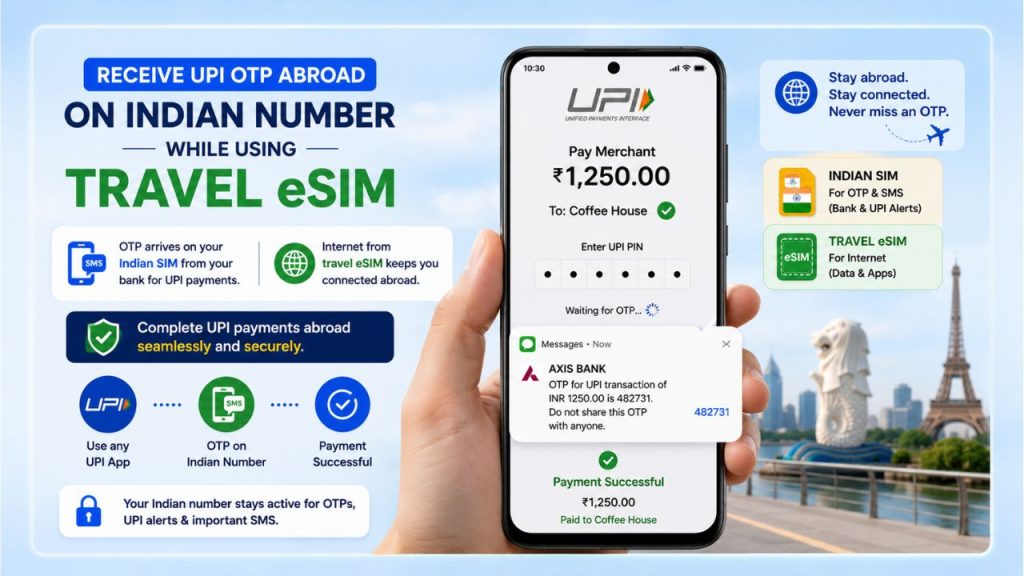
UPI is deeply connected to your registered Indian mobile number. Every payment on Google Pay, PhonePe, or Paytm needs an OTP on your number. To receive Indian UPI OTP while traveling abroad, your Indian SIM must stay active. Your UPI app connects to the internet through the travel eSIM. The OTP arrives on your Indian SIM as a normal SMS. You enter it and the payment completes instantly without any delay or frustration. This smart setup also keeps WhatsApp and bank OTP active while using international eSIM. WhatsApp stays registered on your Indian number throughout the journey. All banking alerts continue arriving without interruption at any time.
How to Keep Jio and Airtel SIM Active for OTP with Travel eSIM
Many Jio users want to know about keeping Jio SIM only for OTP. They want to use a travel eSIM for data simultaneously. Place your Jio physical SIM in Slot 1 of your phone. Then install your travel eSIM as the secondary digital line. Turn off Mobile Data on the Jio SIM and set travel eSIM as Default Data. Jio provides free incoming SMS internationally when roaming is active. So your Jio SIM silently gets every bank OTP at zero cost. Your travel eSIM handles all internet needs at much lower rates than roaming.
For Airtel users, keeping Airtel SIM active for SMS OTP abroad needs just a valid recharge. Airtel’s incoming SMS works internationally on any standard prepaid recharge. No separate international pack is needed just for OTP reception. As a result, you save money on both your Indian SIM and your data plan abroad.
Common Mistakes That Cause Missed OTPs Abroad
Several avoidable mistakes cause Indians to miss bank OTPs on international trips. The first mistake is physically removing the Indian SIM from the phone. Without it inserted, no bank SMS can ever reach you abroad. Always keep it in your device for the entire journey. The second mistake is enabling data roaming on the Indian SIM. This leads to very high and unexpected roaming charges on your bill. Keep data roaming strictly OFF on your Indian SIM at all times.
Third, forgetting to recharge before departure is another costly mistake. An expired SIM cannot receive SMS even with roaming enabled. Moreover, Jio users should note that Wi-Fi Calling keeps the number reachable for OTPs. When connected to any Wi-Fi abroad, enable Wi-Fi Calling on your Jio SIM. This acts as an excellent backup in areas with weak roaming signal coverage.
Tips to Keep Banking Apps Working Abroad
Beyond receiving OTP, keep your banking apps updated before you leave India. Outdated apps sometimes fail to load on international networks. So update all your banking apps, UPI apps, and wallet apps before departure. Also check that your bank has not blocked international transactions by default. You can enable international usage on your HDFC, SBI, or ICICI debit card via net banking. This prevents your card from getting declined on overseas payments.
Furthermore, save your bank’s customer care number before traveling. If you ever face an issue, you can reach them via Wi-Fi calling. HDFC, SBI, and ICICI all have 24/7 helplines accessible from abroad. Keep your internet banking credentials saved securely on your device for quick access. A password manager app works well for this purpose while traveling.
One more important tip is to inform your bank about your travel dates. Many banks flag overseas transactions as suspicious and block them. A quick call or branch visit before departure removes this risk entirely. Tell the bank officer the countries you will visit and your travel period. This simple action prevents unnecessary card blocks during your trip.
Additionally, enable email-based OTP as a backup option in your banking account settings. HDFC and ICICI allow email OTP as an alternative for some transactions. So even if your SMS is delayed for any reason, email OTP arrives instantly. Set up this email backup option before you fly out of India. This preparation takes only a few minutes.
The Best eSIM for Indian Bank OTP Abroad
The best eSIM for Indian bank OTP abroad complements your Indian SIM rather than replacing it. Look for instant QR code activation, strong 4G or 5G coverage, and clear pricing. The international eSIM for Indians to avoid missing bank OTPs must support dual-line operation on your device. Flexible data plan options matter especially for longer trips with varied daily usage. Always buy from a trusted and verified eSIM provider for consistent service and responsive support.
Stay Connected Affordably with Hubbing Ecom
Hubbing Ecom offers affordable international data eSIM plans built specifically for Indian travelers. Their plans cover over 120 countries worldwide. This includes the USA, UAE, Europe, Thailand, Singapore, and GCC. Activation is fully digital and takes under two minutes via QR code. No store visit, no physical SIM swapping, and no hidden fees apply. Hubbing Ecom holds a 4.7 out of 5 rating on Trustpilot from real verified customers.
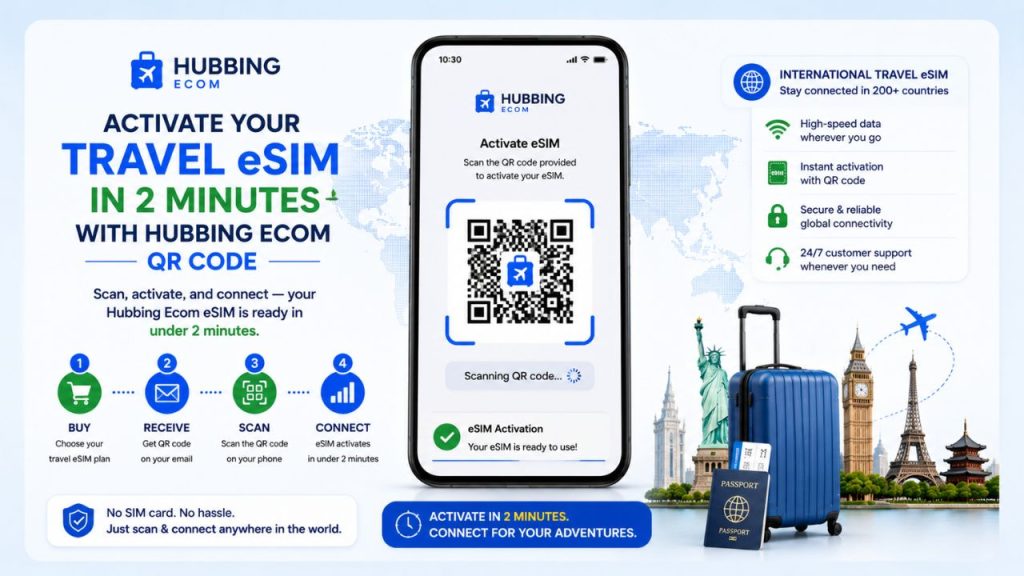
So here is your clear action plan. Recharge your Indian Jio or Airtel SIM before leaving. Buy a Hubbing Ecom travel eSIM for your destination and data needs. Apply all the phone settings shared in this guide carefully. You will never miss another Indian bank OTP, UPI alert, or WhatsApp message while abroad. Visit hubbingecom.com today and pick the right plan for your trip. Travel smarter, spend less, and stay fully connected on every journey.
OVERALL SUMMARY
This blog covers the complete strategy for Indian travelers to use eSIM abroad without ever missing their Indian bank OTP or UPI alert. The solution is a dual SIM setup — the Indian physical SIM (Jio/Airtel) stays active for SMS only, and a travel eSIM handles all internet data. Detailed step-by-step settings are provided for both iPhone and Android. Bank-specific fixes are covered for SBI, HDFC, and ICICI. Pre-departure tips, common mistakes, and the Hubbing Ecom eSIM recommendation complete the guide
You may like reading Similar Blogs
How Much eSIM Data Do I Really Need? A Calculator for Every Type of Traveler
WiFi Calling vs Cellular: Which One’s Better for You?
Pocket WiFi vs eSIM in Japan: Pros and Cons for Tourists
eSIM vs public WiFi vs VPN: A Comparison of Internet Access Methods
Can an eSIM and Physical SIM have the same number?
Can i change the APN Settings?
Common problems faced when using eSIM, & it’s solutions
How to check eSIM Data usage on iPhone?
Is eSIM signal strength the same as a Physical SIM?
Top eSIM Data Plans for Seafarers: Stay Connected Anywhere at Seaports
How International Data eSIMs Keep Pilots and Airline Crew Connected Across Borders
eSIM for Silent Roamers: Affordable Data Plans and Limitations
Should Data Roaming Be ON or OFF With a Travel eSIM? (The Answer Is Counterintuitive)
Travel eSIM vs Local SIM vs International Roaming: What Luxury Travelers Prefer Now
Global Travel eSIM Explained by a Telecom Professional
Staying Connected: WhatsApp Calling Alternatives for International Tourists in Dubai and Workarounds
12 Factors That Effect Your Data Speed On Foreign Trip
Why you should use eSIM and Wi-Fi Map in conjunction? On your international trip..
Complete eSIM Troubleshooting Guide — Why It’s Not Working & How to Fix It
Affordable eSIM for Singapore: Safe High‑Speed Data for International Tourists
eSIM for Long-Term Travel: Managing Data, Expiry, and Top-Ups
eSIM for Business Travelers: Secure Data and Remote Work Tips
Subscribe to our YouTube channel and follow us on Instagram for more updates


Leave a comment